
Wix Integration
Introduction
These instructions will show you how to configure your Fulfillment Control Panel and Wix accounts to sync orders and inventory levels.
Connecting eFulfillment Service with Wix
To connect your Wix account to the Fulfillment Control Panel (FCP) you will first need to add the eFulfillment Service app to your Wix account. The link for the app may be found here: https://www.wix.com/app-market/efulfillment-service
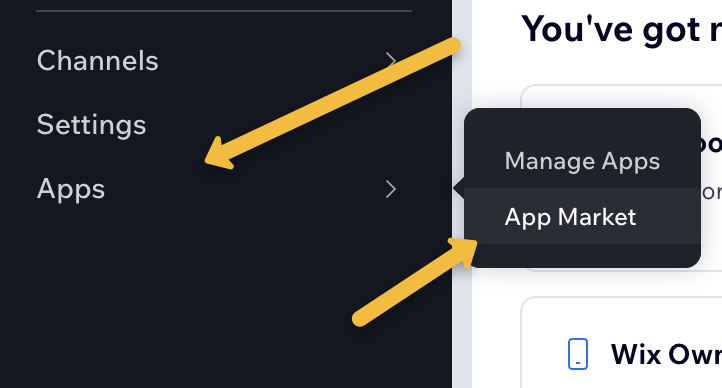
Alternatively, on the navigation bar for your Wix account select Apps and the App Market. From there, search for eFulfillment Service to find the app.
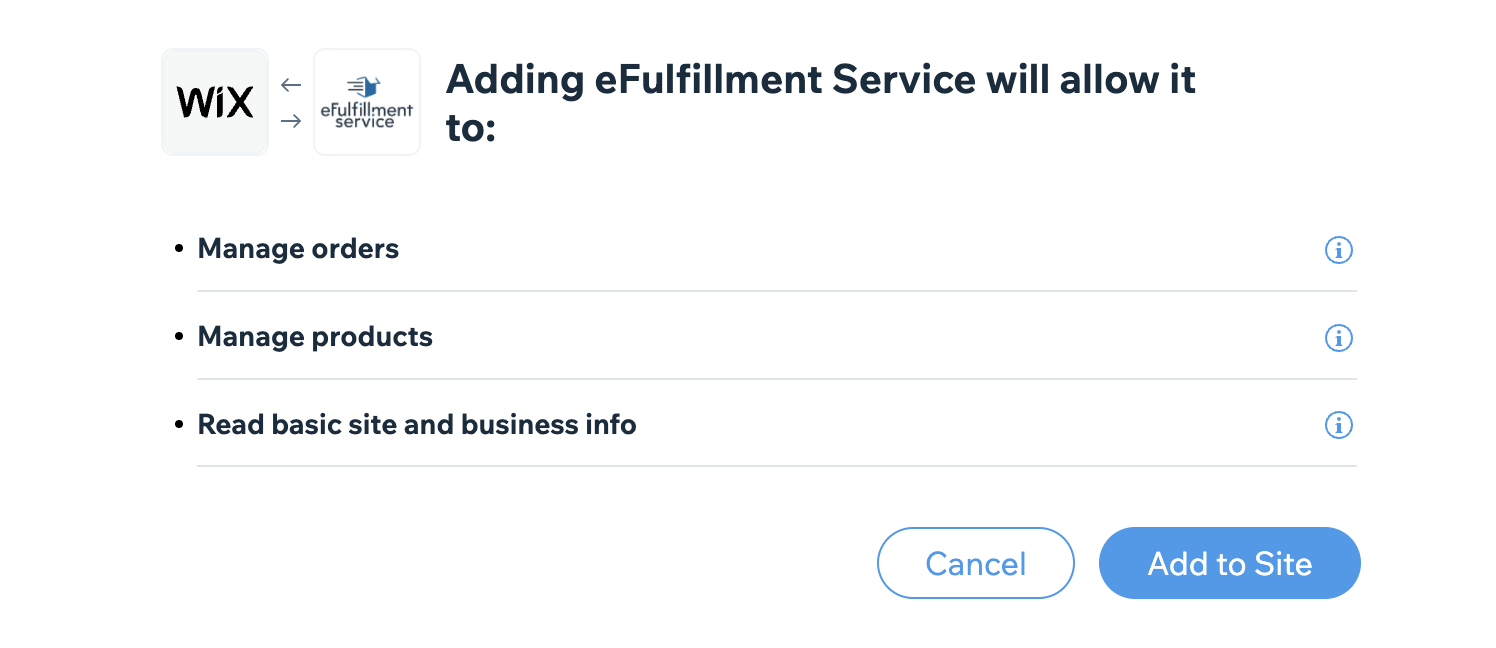
From the app page, select Add to Site to install the app.
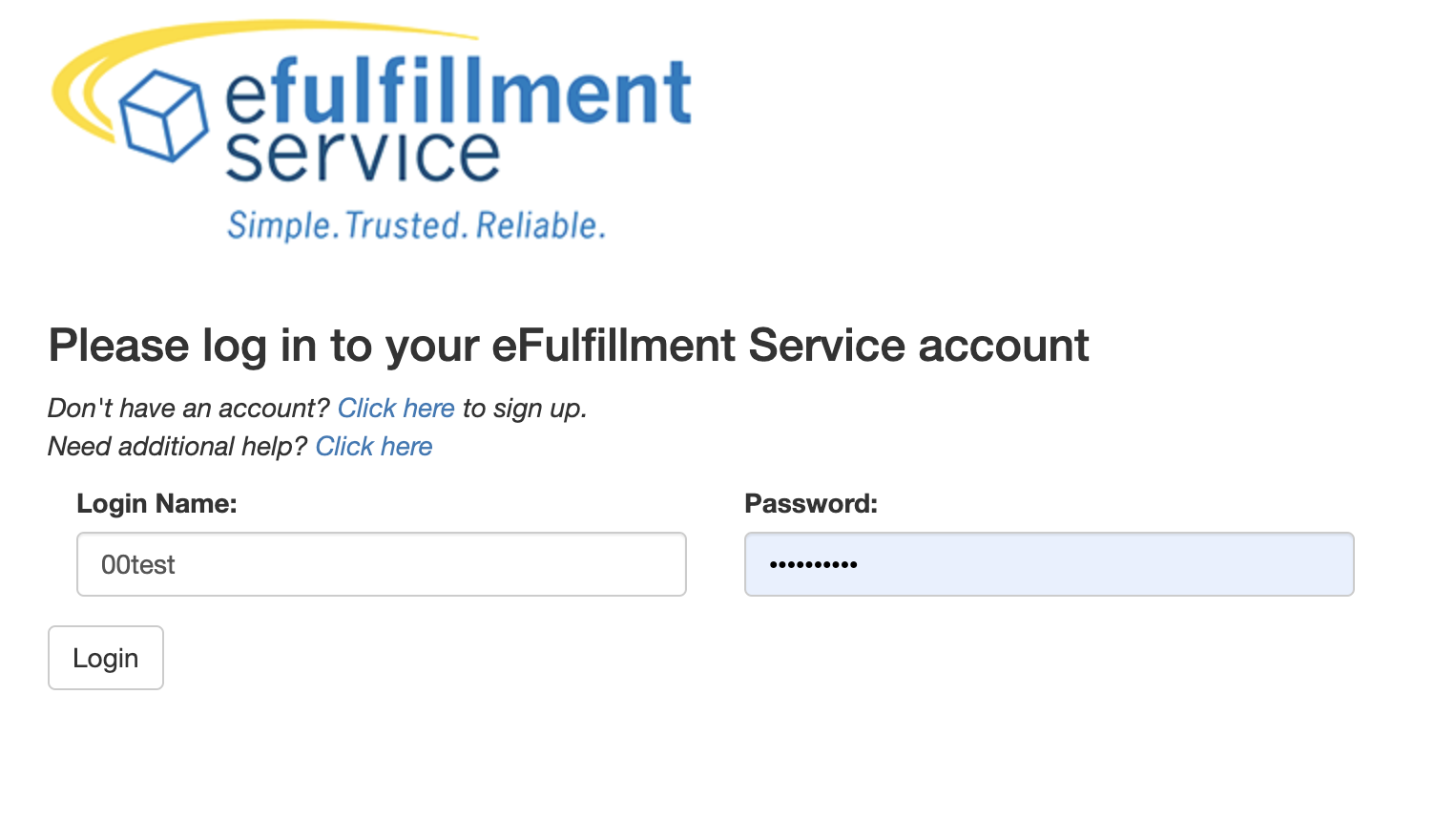
This will then take you to the following screen where you will be asked to sign in using your Fulfillment Control Panel credentials. If you do not have these set up, you may use the provided links to do so.
Once authenticated, you will then be presented with the following page containing the initial configuration options for your Wix integration. These can later be changed in the Fulfillment Control Panel as needed.
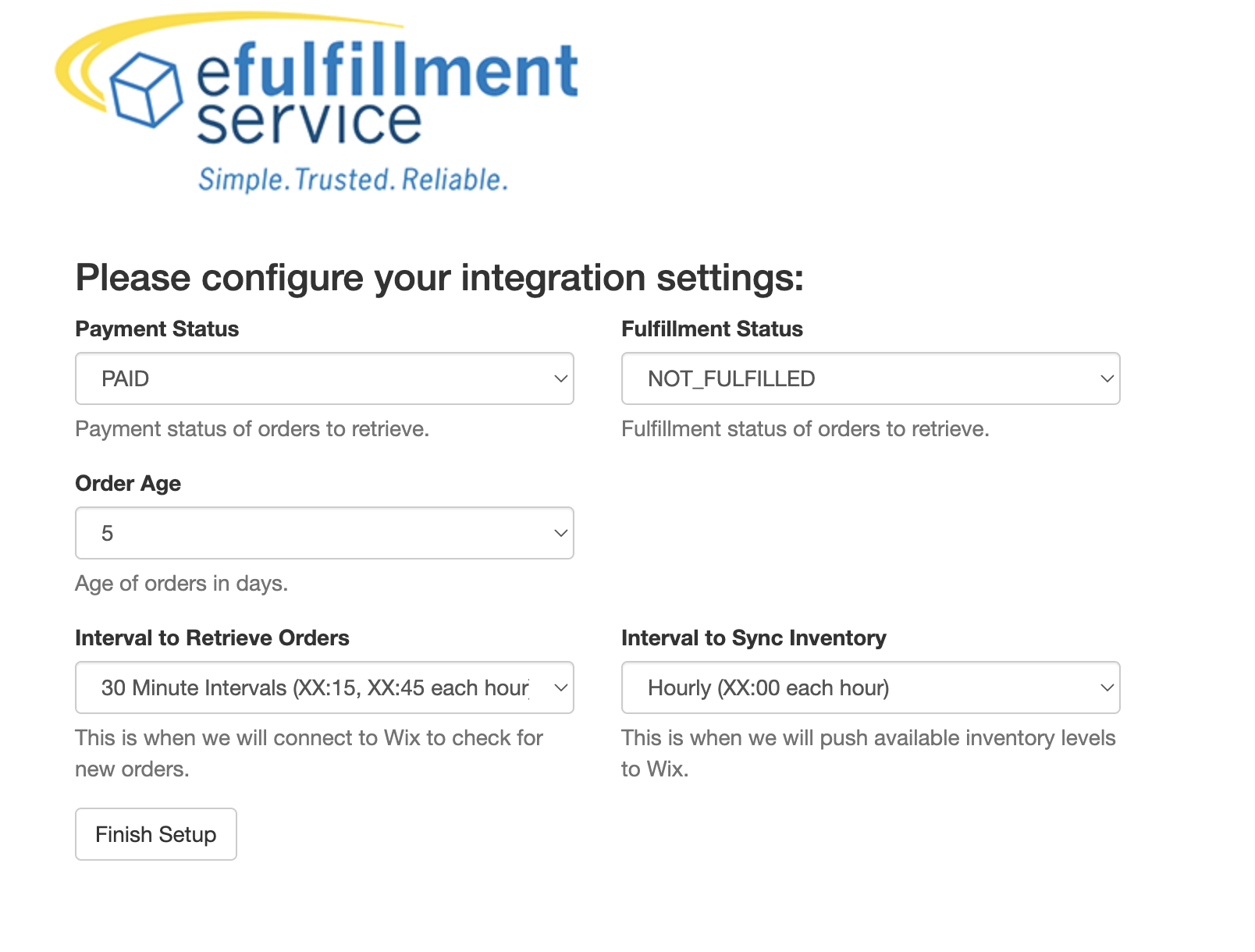
Payment Status: Sets the desired payment status of orders to be retrieved. By default, we will only pull orders marked Paid.
Fulfillment Status: Sets the desired fulfillment status of orders to be retrieved. By default, we pull orders that have not been fulfilled.
Order Age: The integration server uses this value to check for orders created within X days to be retrieved.
Interval to Retrieve Orders: How often the integration server will attempt to pull orders from your Wix cart. By default, it will do so every 30 minutes.
Interval to Sync Inventory: How often inventory information will be sent back to Wix. Hourly by default.
Once satisfied with configuration, click Finish Setup to complete the integration.
Accessing Integration Settings in the Fulfillment Control Panel
First sign into your FCP account and select the Integrations tab on the navigation bar. Click View Integrations to bring up your list of Integrations and navigate to your Wix integration.

From here, click on the pencil icon to view and edit the integration settings.
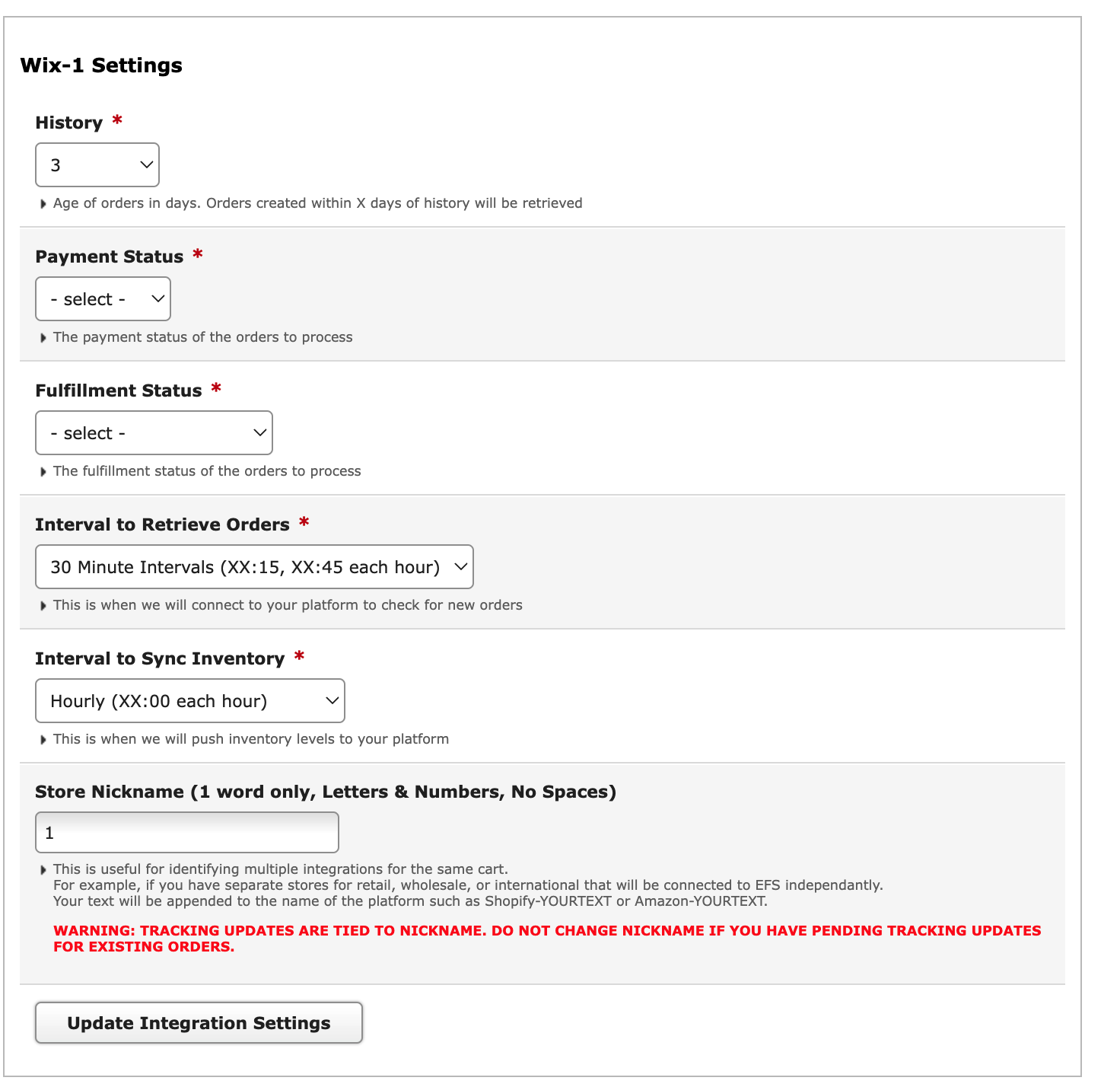
History: The integration server uses this value to check for orders created within X days of history to be retrieved.
Payment Status: Tells the integration server to retrieve orders with the matching payment status [Unpaid, Paid, Pending]. By default, the integration server looks for paid orders only.
Fulfillment Status: Tells the integration server to retrieve orders with the matching fulfillment status [Not Fulfilled, Partially Fulfilled]. By default, it looks for orders that have not been fulfilled only.
Interval to Retrieve Orders: How often the integration server will attempt to pull orders from your Wix cart. By default, it will do so every 30 minutes.
Interval to Sync Inventory: How often inventory information will be sent back to Wix. Hourly by default.
Store Nickname: Gives the integration a distinct name of your choosing, useful for identifying multiple integrations for the same cart. Must be a single word with only letters and numbers, no spaces or symbols.