
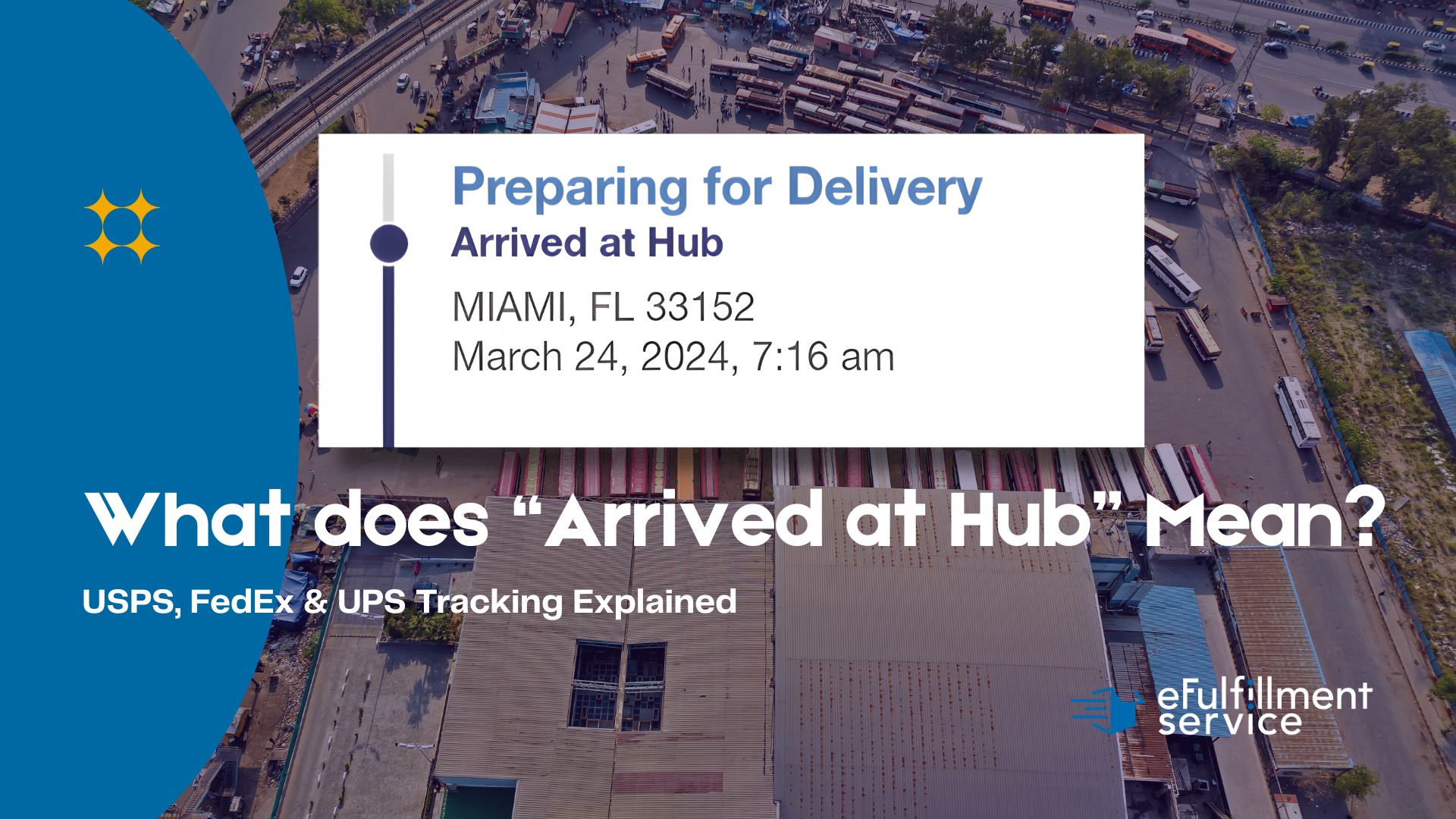
Quick Answer: What Does “Arrived at Hub” Mean?
“Arrived at Hub” is a package tracking status indicating that a shipment has reached a sorting or distribution facility. At the hub, packages are scanned, sorted by destination, and prepared for onward transport to their next location or final delivery address.
You click “Buy Now” on a Tuesday afternoon, and by Friday morning, there’s a box on your doorstep. Simple, right? But between that click and that delivery, your package travels through an invisible network of massive warehouses, conveyor belts moving at 500 feet per minute, and scanning tunnels that photograph every side of your box in a fraction of a second.
The tracking status “Arrived at Hub” is your package’s way of saying: “I’ve made it to the big leagues.” It’s entered one of those massive distribution centers you’ve probably seen from the highway, those sprawling facilities with hundreds of semi-trucks backed up to loading docks. But what does that really mean for your delivery timeline? And why does your package sometimes seem to get stuck there for days?
If you’re an ecommerce seller trying to explain tracking statuses to anxious customers, or a shopper wondering why your package hasn’t moved in 48 hours, this guide breaks down exactly what happens inside these logistics hubs and what you can expect at each stage.
What “Arrived at Hub” Actually Means
When your tracking shows “Arrived at Hub,” your package has reached a central distribution facility – think of it as a massive sorting station where parcels from thousands of different sellers get collected, organized by destination, and loaded onto trucks or planes for the next leg of their journey.
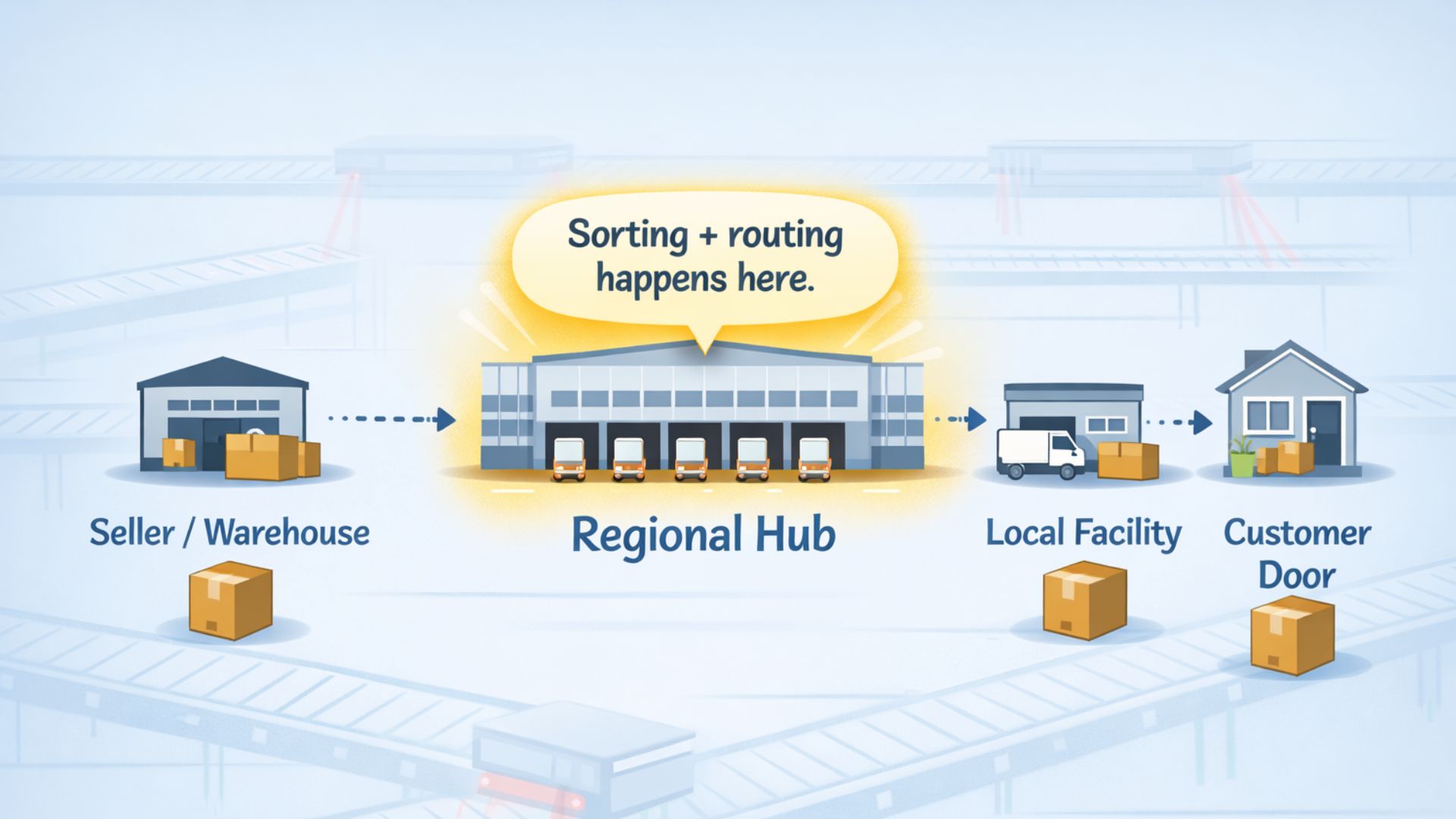
This isn’t your local post office. It’s not the final delivery depot down the street. A hub is typically a regional or national facility that might be hundreds of miles from your customer’s front door. These places are industrial operations, often spanning 500,000 square feet or more, running 24/7 with minimal human oversight.
Here’s what makes a hub different from other stops in the shipping network:
Scale: Hubs process millions of packages weekly. The UPS facility in Louisville can handle 416,000 packages per hour during peak operations.
Automation: Modern hubs use conveyor systems that stretch for miles, with robotic sorters that can redirect a package in under a second.
Purpose: While a local facility prepares packages for delivery, a hub consolidates shipments heading in the same general direction – think of it as a train station where packages switch from local routes to long-haul transportation.
The Three Types of Hub Scans
Not all “Arrived at Hub” updates mean the same thing. Your package might hit multiple hubs depending on how far it’s traveling:
- Origin Hub: The first major facility after pickup, usually within your state or region
- Transit/Relay Hub: A midpoint facility where long-haul trucks swap trailers (your package might not even leave its container here)
- Destination Hub: The final major facility before your package gets routed to a local delivery station
A package shipping from Michigan to California might show “Arrived at Hub” three separate times – once in Detroit, once in Denver, and once in Los Angeles – before it ever gets close to the customer’s address.
Slash Shipping Times!
By storing your products in a US-based 3PL warehouse, you can cut shipping times by up to 75% compared to shipping directly from overseas. Imagine your customers in New York receiving their orders in 2 days instead of 8!
Hub vs. Facility vs. Unit: Decoding the Terminology
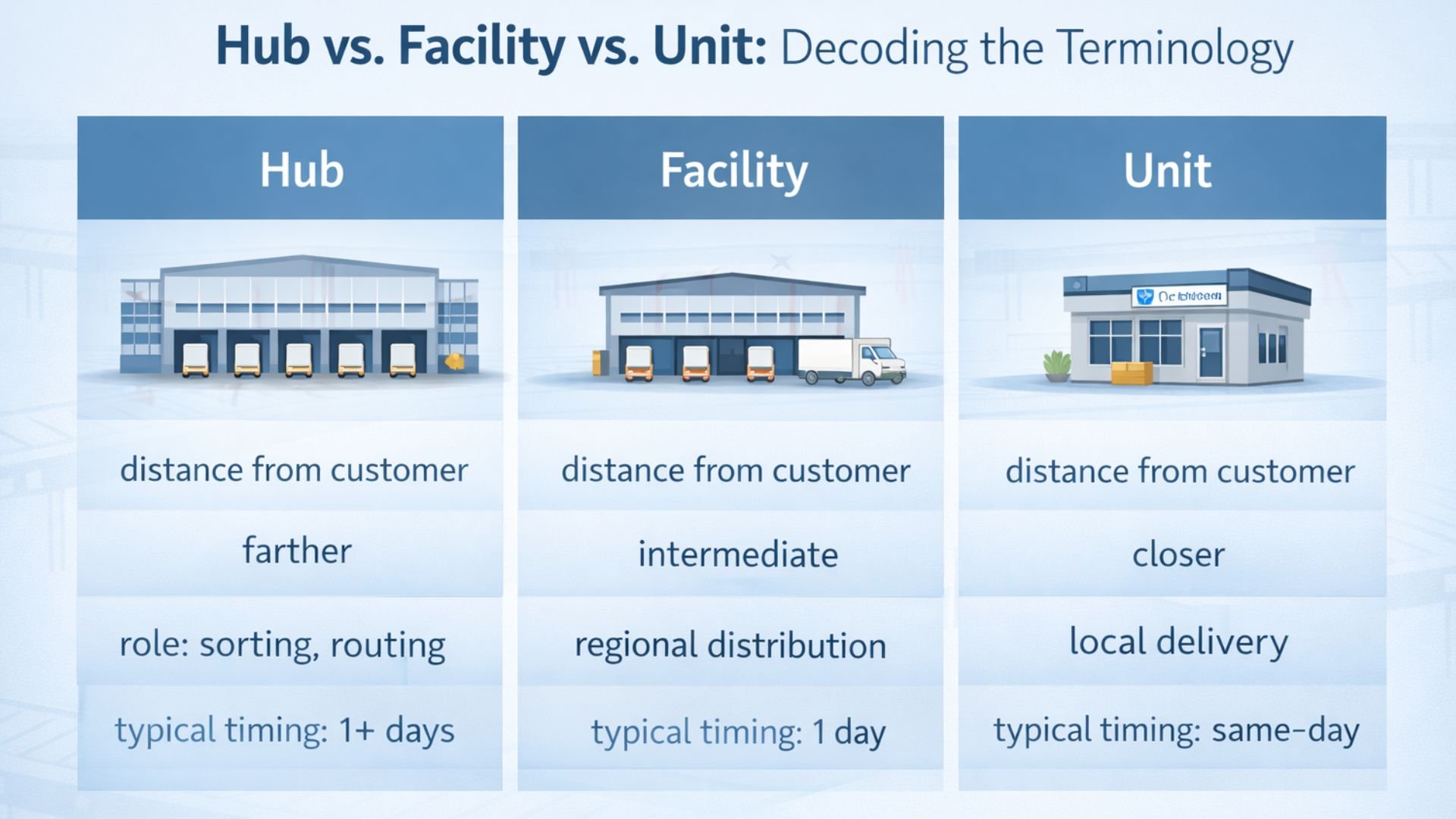
The tracking terminology gets confusing because carriers use different words for the same concepts. Let’s clear this up because the difference between “Hub” and “Unit” is the difference between “your package is 500 miles away” and “your package is getting delivered today.”
Quick Reference Table
| Carrier | Hub-Level Status | Local Facility Status | About to Deliver |
|---|---|---|---|
| USPS | Arrived at Hub / Arrived at USPS Regional Facility | Arrived at Unit | Out for Delivery |
| FedEx | Arrived at FedEx Location | At Local FedEx Facility | On FedEx vehicle for delivery |
| UPS | Arrival Scan (check location) | Arrival Scan (at local center) | Out for Delivery |
The key thing to remember: if the facility name includes a city that’s nowhere near your customer, it’s a hub, and there’s more travel ahead.
USPS Terminology
Network Distribution Center (NDC): The big one. There are roughly 21 of these across the US, and they’re what USPS means when tracking says “Arrived at Hub.” These facilities handle bulk mail and packages traveling long distances. If your package hits the Detroit NDC, it’s still days from delivery in most cases.
Sectional Center Facility (SCF): A step down from the NDC. These serve specific three-digit ZIP code zones. The tracking might show “Arrived at USPS Regional Facility” for both NDCs and SCFs, which is frustratingly vague.
Delivery Unit: Your local post office. When tracking says “Arrived at Unit,” your package is literally at the building where your mail carrier works. Delivery happens the same day or next morning.
The mix-up happens because both NDCs and SCFs can show as “Arrived at Facility” in tracking. The difference? An NDC might be 800 miles from your customer. An SCF is maybe 50 miles away. The Unit is down the street.

Boost Your Bottom Line!
3PLs often have access to bulk shipping discounts that can save you up to 30% on shipping costs. That means more profit for you and potentially lower prices for your customers.
FedEx Terminology
FedEx runs two separate networks (Express and Ground), and they name things differently:
“Arrived at FedEx Location”: Usually means a hub-level sort. For Express shipments, this often refers to the Memphis superhub. For Ground, it’s a regional facility.
“At Local FedEx Facility”: This is the equivalent of “Arrived at Unit” for USPS. The package is at the station where delivery trucks load up.
“On FedEx vehicle for delivery”: Self-explanatory, and the status you want to see.
UPS Terminology
UPS keeps it simpler (or at least uses more consistent language):
“Arrival Scan”: The package was scanned being unloaded at a sorting facility. Could be a hub, could be local – you need to check the location.
“Departure Scan”: It’s been sorted and loaded onto outbound transportation.
“On the Way”: UPS’s catch-all status that covers everything between first pickup and “Out for Delivery.” Not particularly helpful for anxious customers.
Managing Fulfillment doesn’t have to be a hassle.
Partnering with a 3PL like eFulfillment Service means you can focus on growing your business while we handle the details. Request a Free Quote Today!
Why the Hub-and-Spoke Model Exists
You might be wondering: why can’t my package just go straight from Point A to Point B? Why does it need to detour through some massive warehouse in a city that’s not even on the way?
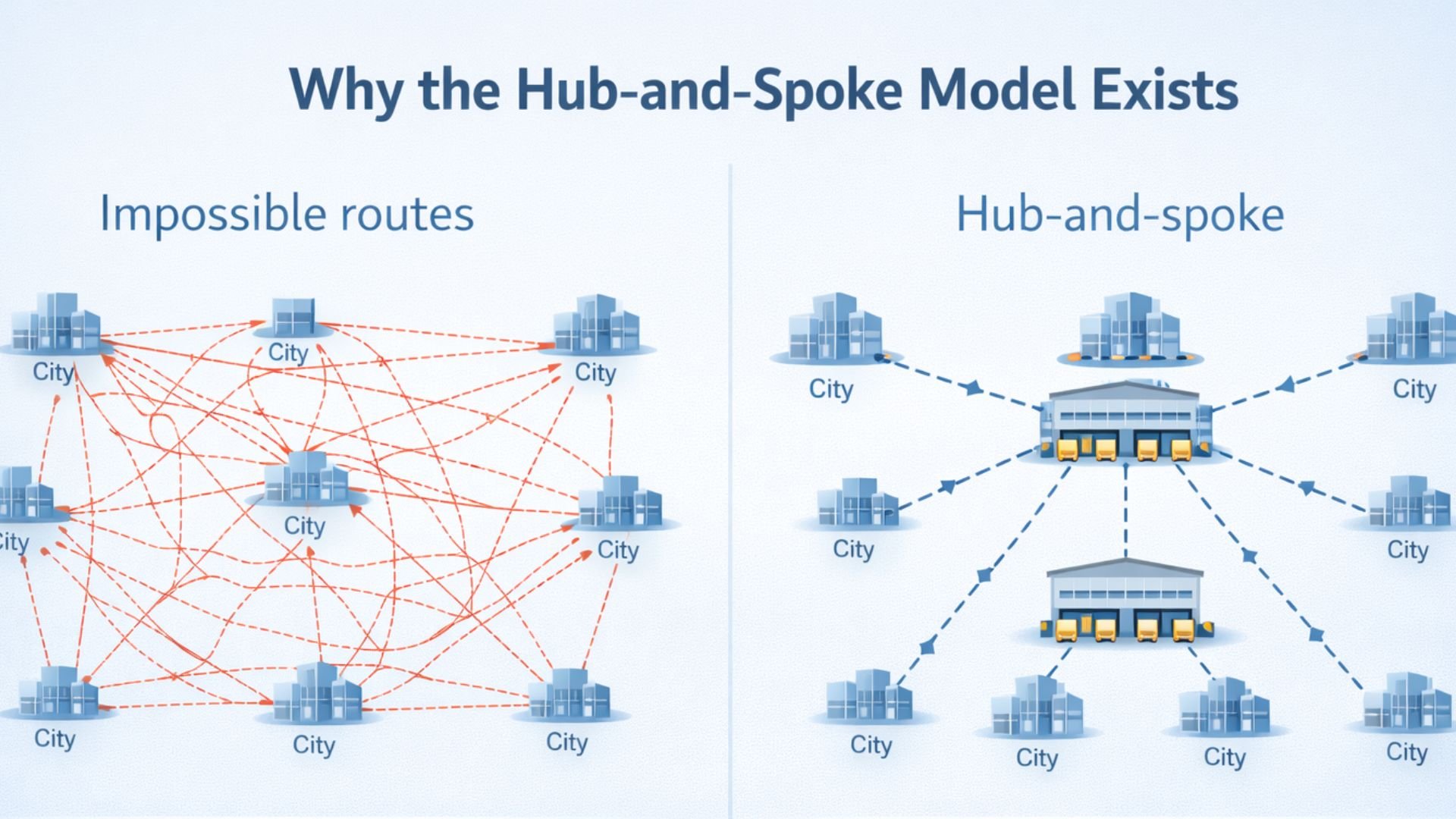
The answer comes down to math and money. Direct shipping between every possible origin and destination would be financially impossible, even for the biggest carriers.
The Point-to-Point Problem
Let’s say a carrier wants to offer shipping between 100 cities. In a direct, point-to-point system, they’d need a route connecting every pair of cities. The formula is n(n-1)/2, which means 4,950 different routes for just 100 cities.
Now scale that up. The US has over 40,000 ZIP codes. A true point-to-point network would require nearly 800 million separate routes. You’d need dedicated trucks for every possible combination, and most of those trucks would sit empty for weeks waiting for enough packages to justify the fuel cost.
For example, a truck in Traverse City, Michigan, designated only for packages going to a small town in rural Oregon. How long would it take to fill that truck? Weeks, maybe months. And who’s paying for the truck to sit idle? Either the carrier absorbs massive losses, or they charge you $500 to ship a single box.
Neither option works.

How Hubs Solve the Economics
The hub-and-spoke model flips this equation. Instead of 800 million routes, you need just 40,000: one route from each ZIP code zone to a central hub.
Here’s the flow:
Collection (The Spokes): Trucks fan out from the hub to collect packages from local areas – post offices, fulfillment centers, drop boxes, retail locations. One truck might pick up 500 packages going to 500 different destinations.
Consolidation (The Hub): All those packages arrive at the central hub and get unloaded onto conveyor belts. The sorting system reads the destination on each box and diverts it to the appropriate outbound lane. Packages heading to the same region (even if they’re going to different cities) get grouped together.
Distribution (Back to Spokes): Those consolidated loads get packed onto trucks or planes heading toward destination hubs. A truck leaving Detroit might carry 10,000 packages, all heading west, but destined for thousands of different addresses across five states.
The efficiency gain is massive. Instead of running half-empty trucks on a million different routes, carriers run full trucks on a few thousand routes.
Real-World Example: Michigan to California
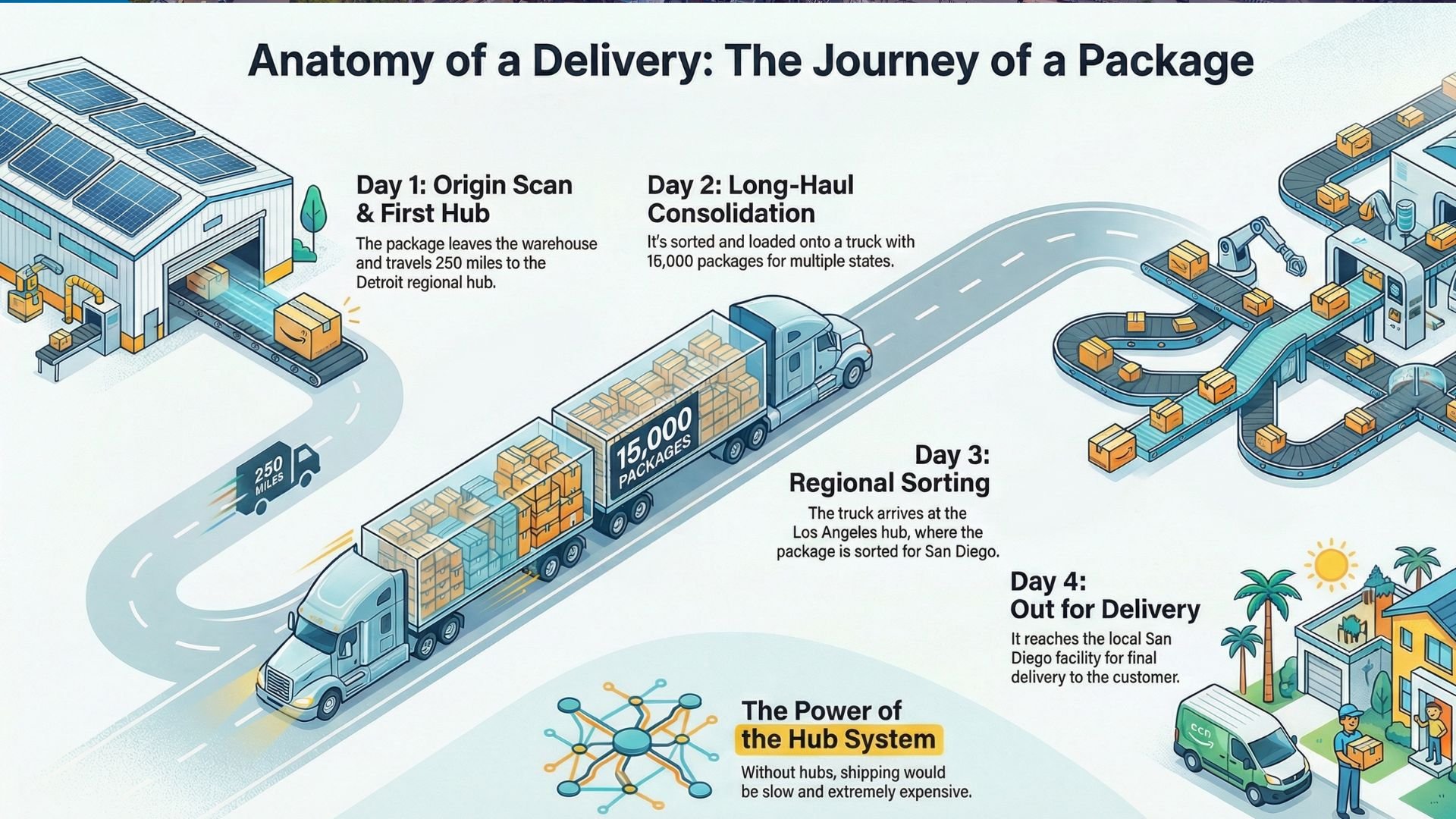
Let’s trace a package shipped from an ecommerce fulfillment center in Michigan to a customer in San Diego:
Day 1: The package leaves the warehouse and travels to the Detroit hub (about 250 miles). First “Arrived at Hub” scan happens around 2 AM.
Day 2: After sorting, it’s loaded onto a truck heading west. This truck is carrying packages for California, Nevada, and Arizona – maybe 15,000 boxes total. The truck drives through the night, possibly scanning at a relay hub in Des Moines or Kansas City (second “Arrived at Hub” might appear here, though not always).
Day 3: The truck reaches the Los Angeles regional hub. Third “Arrived at Hub” scan. The package gets sorted again, this time into a load specifically for San Diego.
Day 4: The package reaches a local San Diego facility. It’s finally “out for delivery.”
Without hubs, that same package would need to wait days or weeks for enough San Diego-bound packages to accumulate in Michigan to justify sending a dedicated truck. Or it would cost a fortune.
The Trade-Off: Speed vs. Stops
The hub system means packages make more stops and travel more total miles than a direct route would require. Your California package might physically travel 2,500 miles through three hubs, when the straight-line distance is only 2,000 miles.
But here’s the thing: the package moves faster this way because it’s always on a full truck that’s leaving immediately. The extra 500 miles happen in 24 hours. The “direct” route would involve weeks of waiting.
This is why “Arrived at Hub” appears multiple times in tracking. Each scan represents your package joining a new group of travelers heading in the same direction. It’s carpooling at industrial scale.
Why Some Hubs Are Bigger Than Others
Not all hubs serve the same function. The network has hierarchy:
SuperHubs: Massive facilities like FedEx Memphis or UPS Louisville that process overnight air freight from across the entire country. These places operate on razor-thin time windows – every plane must land, get unloaded, sorted, and reloaded within about four hours.
Regional Ground Hubs: Facilities that consolidate truck traffic for specific areas. There might be 50-100 of these across the US. They process higher volumes but over longer timeframes (12-24 hour cycles instead of 4-hour windows).
Local Sorting Centers: The final hub before packages reach delivery stations. These are sometimes confusingly also called “hubs” in tracking, which is why you see the status multiple times.
For ecommerce sellers, understanding this hierarchy helps set realistic customer expectations. When your 3PL tells you a package will take 3-5 days ground, that accounts for the hub stops. When a customer sees “Arrived at Hub” on Day 2 and panics that nothing’s moving, you can explain: “That’s normal. It’s at the Detroit hub being sorted for the next truck west. It’ll scan again tomorrow at the destination hub.”
The hub system isn’t perfect – packages do occasionally get missorted or delayed at hubs – but it’s the only way to offer affordable shipping at national scale. Every major carrier in the world uses some variation of this model because the alternatives simply don’t work economically.
Why Packages Get Stuck at Hubs
So your tracking has said “Arrived at Hub” for three days straight. No movement. No updates. You’re starting to wonder if your package fell into a black hole somewhere in Memphis or got buried under a mountain of other boxes.
The good news: it’s almost never lost. The frustrating news: there are legitimate operational reasons why packages sit at hubs longer than expected, and most of them are completely invisible to the tracking system.
Let’s break down the most common culprits.
Common Reasons for Hub Delays
| Reason | What’s Happening | Typical Delay | Shows in Tracking? |
|---|---|---|---|
| Waiting for Full Truck | Carrier won’t dispatch until enough packages accumulate for the route | 24-48 hours (economy service) | No – just shows “Arrived at Hub” |
| Rolled Freight | Truck was full; package pushed to next day’s load | 12-24 hours per roll | No – still shows “Arrived at Hub” |
| Missort/Wrong Hub | Package sent to wrong facility, needs rerouting | 2-4 days | Sometimes – you’ll see unexpected city names |
| Weather Delays | Roads/airports closed; trucks can’t leave or arrive | 1-5 days + backlog time | Sometimes – check carrier service alerts |
| Damage/Repackaging | Box burst open; needs repair at QA station | 2-72 hours | No – stays “Arrived at Hub” during repair |
| Address Issues | ZIP doesn’t match city, apartment missing, etc. | 24-48 hours | Sometimes shows “Exception” or “Action Needed” |
| Peak Season Overload | Volume exceeds processing capacity (Nov-Dec) | Adds 12-24 hours to every step | No – all statuses just take longer |
| High-Value/Restricted Items | Additional security screening required | 24-48 hours | No – for security reasons |
| Customs Clearance | International shipments awaiting government release | Days to weeks | Sometimes shows “Customs” status |

Waiting for a Full Truck
This is the number one reason packages get “stuck” at hubs, and it’s not really stuck at all – it’s queued.
Carriers operate on load optimization algorithms. They won’t dispatch a 53-foot trailer that’s only 30% full unless there’s an urgent reason. Instead, they wait for enough packages heading to the same destination to accumulate. For popular routes (Detroit to Los Angeles, Chicago to Miami), trucks fill up quickly and leave every few hours. For less common routes (Detroit to Boise, Chicago to Albuquerque), it might take 36-48 hours to build a full load.
Economy shipping services sit at the back of this queue. If you used USPS Ground Advantage, FedEx Ground Economy, or UPS SurePost, your package has lower priority than Express freight. When a truck does fill up, the Express packages get loaded first. Economy packages wait for available space or the next truck.
During slow shipping periods (mid-January through March), consolidation delays get longer. There’s simply less volume moving through the system, so it takes more time to fill trucks.
Rolled Freight
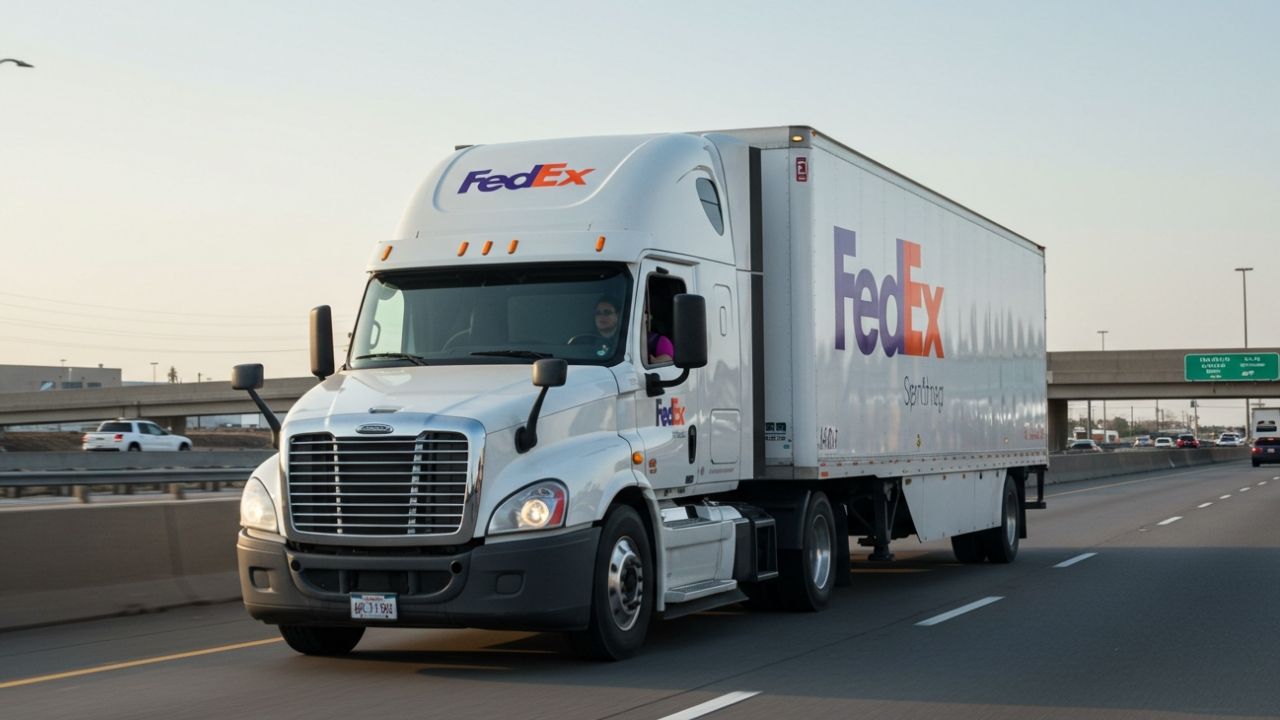
Here’s a scenario that happens constantly but never shows up in tracking: your package gets sorted to the correct outbound truck, but that truck is already full by the time workers reach your box. It gets “rolled” to the next day’s truck.
The tracking still says “Arrived at Hub” because technically, the package hasn’t departed. It’s sitting in a staging area or back at the bottom of the chute waiting for tomorrow’s load. This can happen multiple days in a row during peak season when volume exceeds truck capacity.
There’s no tracking update for “rolled to next truck.” The system just shows continuous “Arrived at Hub” status, which makes it look like nothing is happening.
Managing International Fulfillment doesn’t have to be a hassle.
Partnering with a 3PL like eFulfillment Service means you can focus on growing your business while we handle the details. Request a Free Quote Today!
Missorts and Backtracking
Automation isn’t perfect. Sometimes a package gets read incorrectly (maybe the barcode was smudged, or a sticker partially covered it), and the system sends it down the wrong chute.
Your Seattle-bound package ends up on a truck to Portland. When it arrives in Portland, workers scan it and the system flags an error: “This package doesn’t belong here.” Now it has to get sent back to the previous hub or rerouted to Seattle through a different path.
The tracking tells a confusing story. You might see:
- Day 1: Arrived at Hub (Chicago)
- Day 2: Departed Hub (Chicago)
- Day 3: Arrived at Hub (Minneapolis) – wrong city, not on the route
- Day 4: Arrived at Hub (Chicago) – it’s going back to where it started
- Day 5: Departed Hub (Chicago) – finally going the right direction
Customers see this and panic, thinking the package is lost or going in circles. Really, it’s just the system self-correcting a routing error.

Weather and Service Disruptions
Hubs are physical facilities at the mercy of the elements. A blizzard shuts down I-70 through the Rockies. A hurricane closes airports across Florida. A wildfire blocks highways in California.
When trucks can’t leave a hub, packages pile up. When trucks can’t reach a hub, incoming trailers stack up in the yard waiting to unload. The entire network backs up like cars on a highway after an accident.
The tracking system doesn’t always reflect this in real-time. Carriers issue service alerts on their websites (“Delays expected in the Denver area due to winter storm”), but individual tracking numbers might not show “Weather Delay” status. Instead, you just see days of “Arrived at Hub” with no movement.
The ripple effects can last 3-5 days after the weather clears. Hubs have to work through the backlog of delayed freight while still processing new incoming volume.
Damage Control and Repackaging
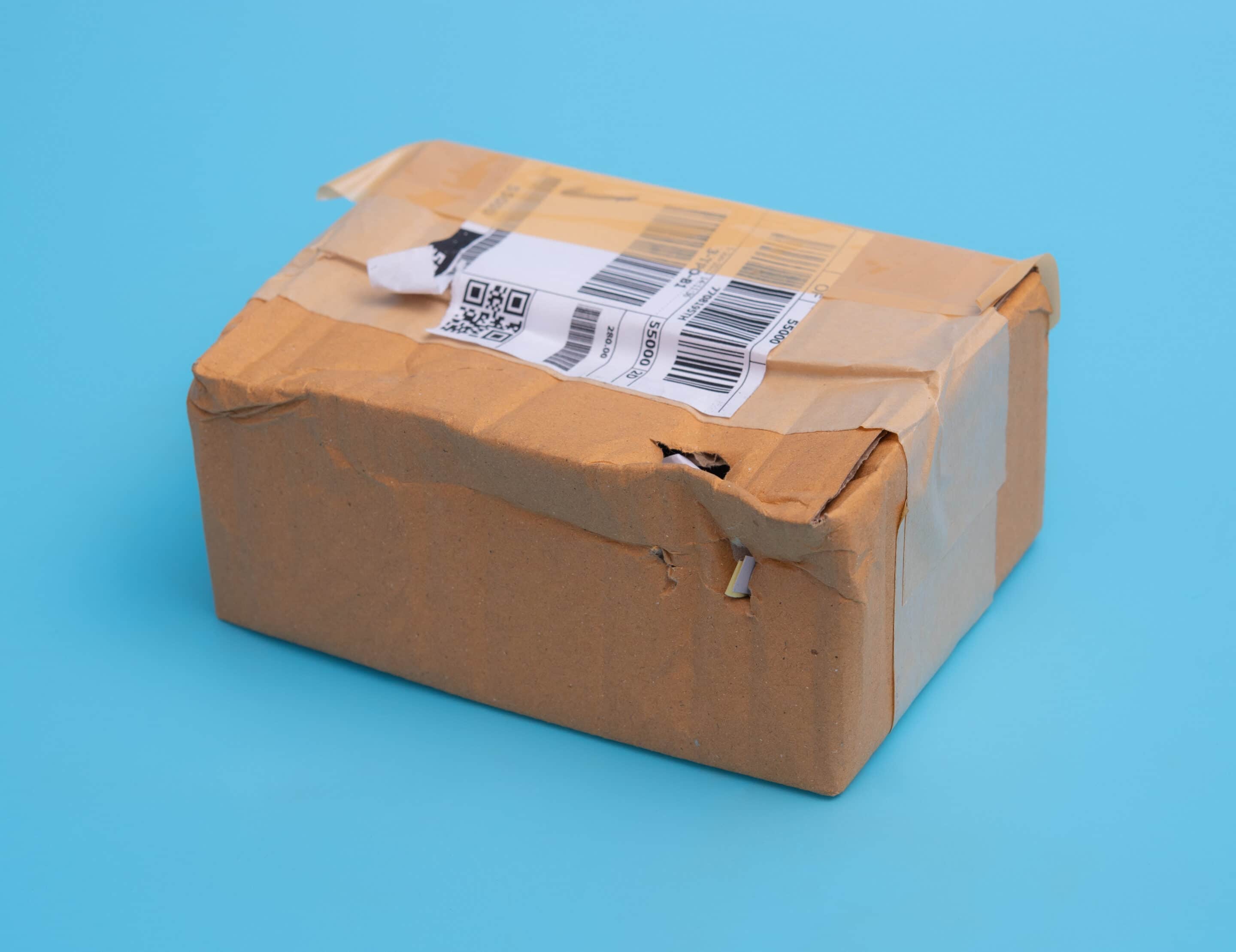
Conveyor systems are brutal on packaging. Boxes drop 3-4 feet at transition points. Heavier packages crush lighter ones. Tape fails. Seams split.
When a package bursts open or gets damaged enough that contents might fall out, it gets pulled off the line and sent to a quality assurance station. Workers have to:
- Match the loose contents to the shipping label
- Find a new box (or repair the old one)
- Repack everything
- Re-tape and re-label
- Put it back into the sorting system
This process can take anywhere from 2 hours to 3 days depending on how backed up the QA area is. During this entire time, tracking shows “Arrived at Hub” because the package hasn’t technically moved forward in the network.
This is why professional fulfillment operations use proper box strength ratings and adequate void fill. A package that’s packed correctly rarely needs repackaging at the hub.
Address Issues and Manual Review
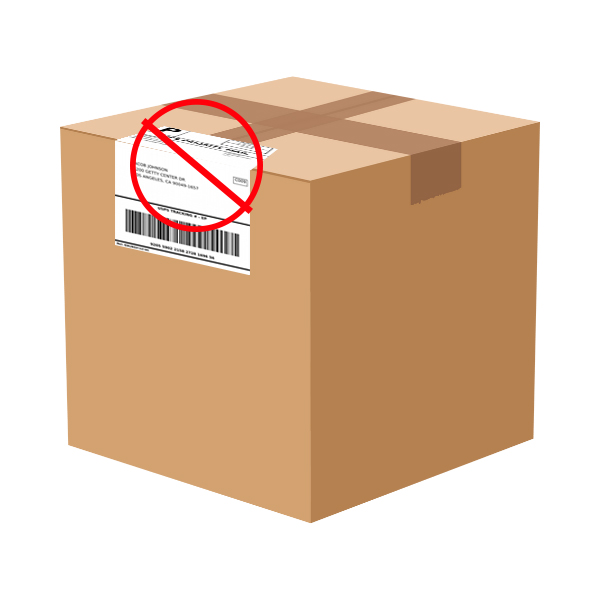
Sometimes the shipping label has problems that aren’t immediately obvious:
- The address is formatted incorrectly
- The ZIP code doesn’t match the city
- The apartment number is missing
- The address doesn’t exist in the carrier’s database
Modern systems catch some of these during the initial scan and flag the package for manual review. It gets diverted to a problem-solving station where someone has to research the correct address, contact the shipper if needed, and generate a corrected label.
This doesn’t happen often, but when it does, expect 24-48 hours of “no movement” while the issue gets resolved.
High-Value or Restricted Items
Packages flagged as high-value (declared value over $1,000) or containing restricted materials sometimes require additional security screening or documentation verification at hubs.
The carrier isn’t going to broadcast this in tracking – they’re not going to announce “Your expensive item is sitting here being inspected.” The tracking just continues to show “Arrived at Hub” during the extra processing time.

Customs Clearance (For International Shipments)
If your package crossed an international border, “Arrived at Hub” might actually mean “Arrived at customs facility.” Customs processing is entirely separate from the carrier’s network, and it can take days or weeks depending on the country, time of year, and what’s in the package.
The carrier has no control over this timeline. The package is physically at the hub, but legally it can’t move until customs releases it. Tracking will show the same “Arrived at Hub” status until clearance completes and the package re-enters the carrier’s domestic network.
Peak Season Capacity Constraints
From mid-November through December, shipping volume can triple. Hubs that normally process 100,000 packages per day suddenly face 300,000. Even with temporary workers and extended operating hours, the system gets overwhelmed.
Packages sit longer at every stage:
- Longer to unload (more trucks in the yard)
- Longer to sort (conveyor systems running at max capacity)
- Longer to consolidate (more destinations to fill)
- Longer to load (limited dock doors and staff)
A package that would normally spend 4 hours at a hub during off-peak season might spend 24-36 hours at the same hub in December. The tracking status looks identical, but the operational reality is completely differen
What “Stuck” Actually Means
Here’s the key thing to understand: in most cases, “stuck” doesn’t mean your package is lost or forgotten. It means the package is waiting its turn in a massive, complex system that prioritizes efficiency over individual speed.
Carriers track every package electronically. They know exactly which container or pallet your box is on. If a package truly goes missing (falls off a conveyor, gets loaded on the wrong truck and can’t be found), it will eventually get flagged by the system when it doesn’t scan at the expected next location.
But when tracking just shows “Arrived at Hub” for days with no updates, it usually means the package is in a queue – waiting for a truck, waiting for repair, waiting for weather to clear, or waiting for volume to justify the route.
For ecommerce sellers managing customer expectations, this context matters. When a customer emails saying “My package has been at the Memphis hub for 48 hours, is it lost?”, you can respond with actual information about what’s probably happening rather than just saying “I don’t know, tracking says it’s there.”
The wait is annoying, but it’s rarely a sign of a serious problem. The system is designed around these pauses. They’re built into the estimated delivery dates carriers provide. A package showing “Arrived at Hub” for 2-3 days during the middle of its journey is operating exactly as the carrier planned it, even if it feels like nothing’s happening.
Normal Wait Times vs. When to Worry
Knowing when a hub delay is normal versus when you should actually be concerned can save you hours of unnecessary stress (and save your customer service team from fielding panicked emails).
The reality is that most “Arrived at Hub” pauses are completely normal. But there are thresholds where you should start investigating or preparing to file a claim.
Normal Hub Dwell Times by Service Level
Different shipping services have wildly different expectations for how long packages should sit at hubs. What’s normal for economy ground shipping would be alarming for overnight express.
| Service Type | Normal Hub Dwell Time | Start Monitoring After | Contact Carrier After |
|---|---|---|---|
| Overnight/Express Air | 2-4 hours | 12 hours | 24 hours |
| 2-Day Express | 4-8 hours | 24 hours | 48 hours |
| Standard Ground (3-5 day) | 6-18 hours | 48 hours | 5 days |
| Economy Ground | 12-36 hours | 4 days | 7 days |
| International (after customs) | 24-72 hours | 5 days | 10 days |
These timeframes assume the package is within the original estimated delivery window. If your tracking said “Delivery by Friday” and it’s only Wednesday, the hub delay is probably built into the carrier’s plan.
Final Thoughts: The meaning of “Arrived at Hub”
Most packages that sit at hubs for 3-4 days do eventually deliver. The system is designed with these pauses built in. Carriers know economy freight will sit longer. They know peak season bogs everything down. The estimated delivery dates they provide account for these delays.
The anxiety comes from the fact that tracking updates create an expectation of constant movement. When you see “Arrived at Hub” and then nothing for days, it feels broken. But often, the package is doing exactly what the carrier planned – waiting its turn in the queue.
That said, trust your gut. If you’re 7+ days past the original delivery estimate with no scans, something genuinely went wrong. The package isn’t “in queue” anymore – it’s lost, damaged, or misrouted badly enough that it won’t self-correct.
For sellers, the key is setting proper expectations up front. If you tell customers “3-5 business days delivery” for ground shipping, make sure your checkout page and confirmation emails explain that “business days” means the carrier might take weekends off, and packages typically make 2-3 hub stops along the way. Customers who understand the process are far less likely to panic at the first 48-hour pause in tracking updates.



0 Comments