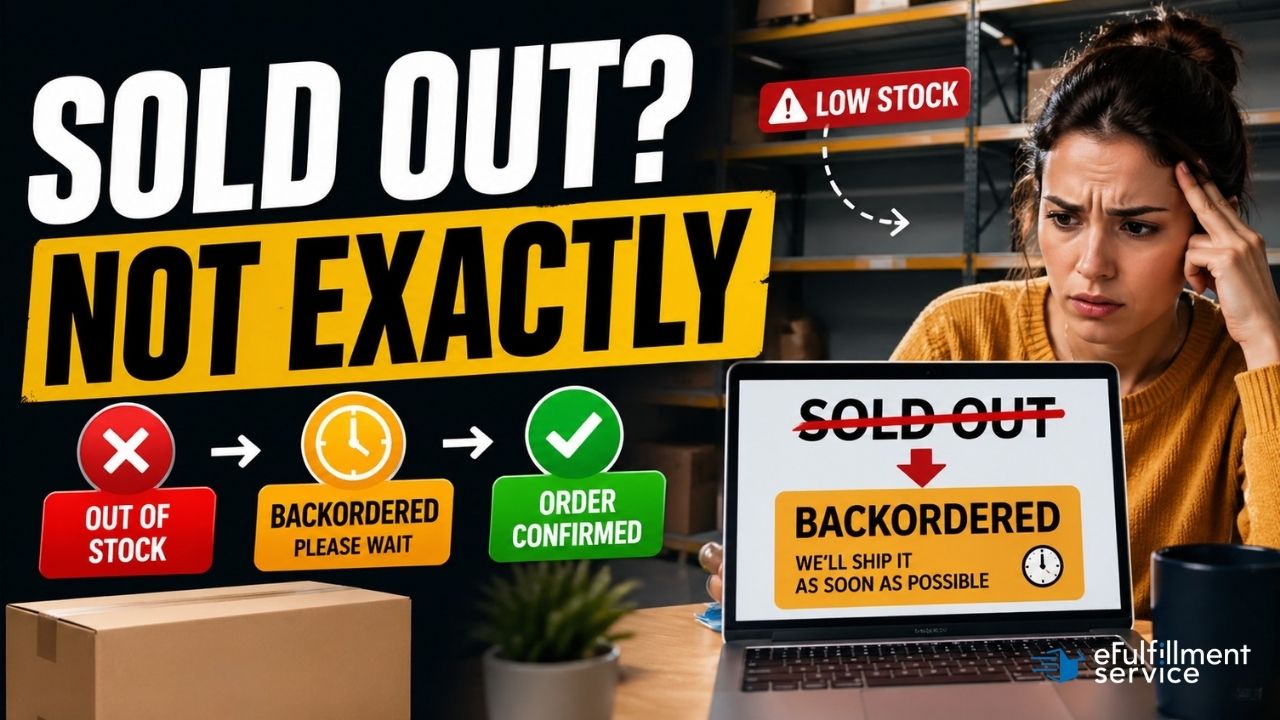
Quick Answer: A backorder is when a customer buys a product that isn’t currently in stock, with the understanding that it will ship once inventory is available. The sale is complete — the customer has paid and holds a confirmed order — but the fulfillment is delayed. Backorders are different from “out of stock” because the customer can still purchase; they just wait for delivery.
Most people encounter a backorder from the customer side: you buy something online, and instead of shipping in the usual two or three days, the confirmation email says "estimated ship date: 4–6 weeks." The product exists, the company plans to have it, and your order is in line. That's a backorder.
For sellers, a backorder is a decision and a process. When inventory runs out, you can pull the product listing, show a "sold out" message, or allow purchases to continue with a delayed fulfillment commitment. That third option — the backorder — lets you keep selling and keep revenue flowing even when your shelves are temporarily empty.
At eFulfillment Service, we've worked with ecommerce sellers for over 25 years, and questions about how to handle backorders correctly come up constantly. This guide covers what a backorder actually is, how it works in practice, and what sellers need to know to manage one without creating bigger problems downstream.
What does "backorder" mean?
A backorder, in the simplest terms, is an order placed for a product that isn't currently available in inventory but is expected to be. The word "back" here refers to the fact that fulfillment happens after the fact — the order is in, but delivery comes later.
The formal definition used in supply chain and inventory management: a backorder is a customer order that cannot be filled from current stock on hand but will be filled when new stock arrives or is produced.
A few things are true of every backorder:
- The customer has completed a purchase and received a confirmation.
- Payment has been collected or authorized.
- The seller has made a commitment to fulfill the order at a future date.
- The seller does not currently have the item in their warehouse or fulfillment center.
That last point is what separates a backorder from a pre-order. A pre-order is typically placed before a product has ever been available — think a new book before its release date, or a new gaming console before launch.
A backorder is for something that existed in stock before, ran out, and will be replenished. In practice, the two terms are sometimes used interchangeably, and from an FTC compliance standpoint the same rules apply to both, but the distinction matters for how you communicate with customers.
Backorder vs. out of stock — what's the difference?
These two terms describe two very different situations, even though both mean "we don't have it right now."
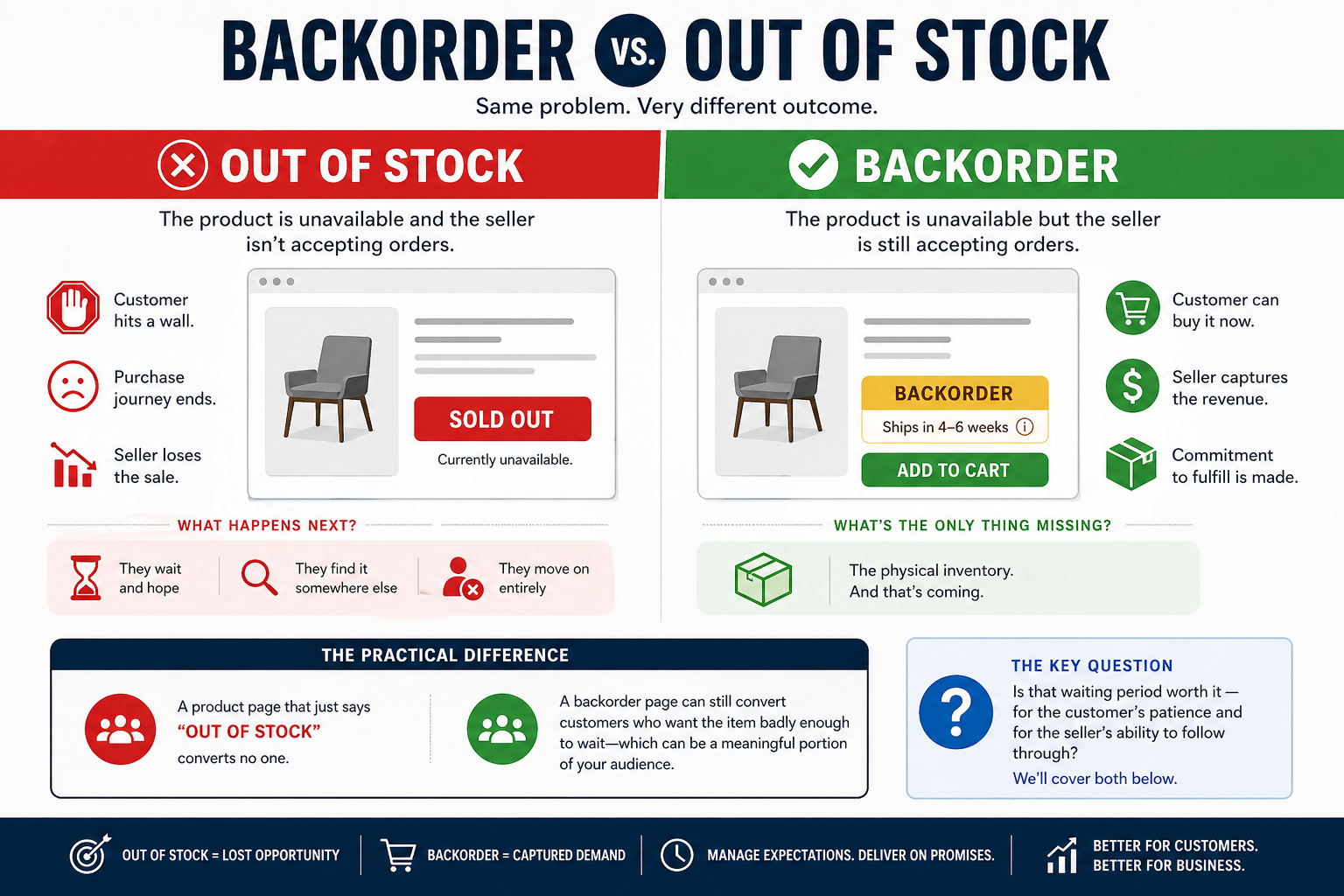
Out of stock means a product is unavailable and the seller isn't accepting orders.
The customer hits a wall. They see "sold out" or "currently unavailable," and the purchase journey ends there. The seller loses that sale — the customer either waits and hopes, finds it somewhere else, or moves on entirely.
On backorder means a product is unavailable but the seller is still accepting orders.
The customer can buy it now with the understanding that it won't ship immediately. The seller captures the revenue. The commitment to fulfill is made. The only thing missing is the physical inventory, and that's coming.
The key differences between a backorder and out of stock for a seller is significant. A product page that just says "out of stock" converts no one. A backorder page can still convert customers who want the item badly enough to wait, which for the right product category is a meaningful portion of your audience.
The key question is whether that waiting period is worth it — for the customer's patience and for the seller's operational ability to follow through. We'll cover both below.
How does a backorder work, step by step?
Here's what the process looks like from both sides of the transaction.
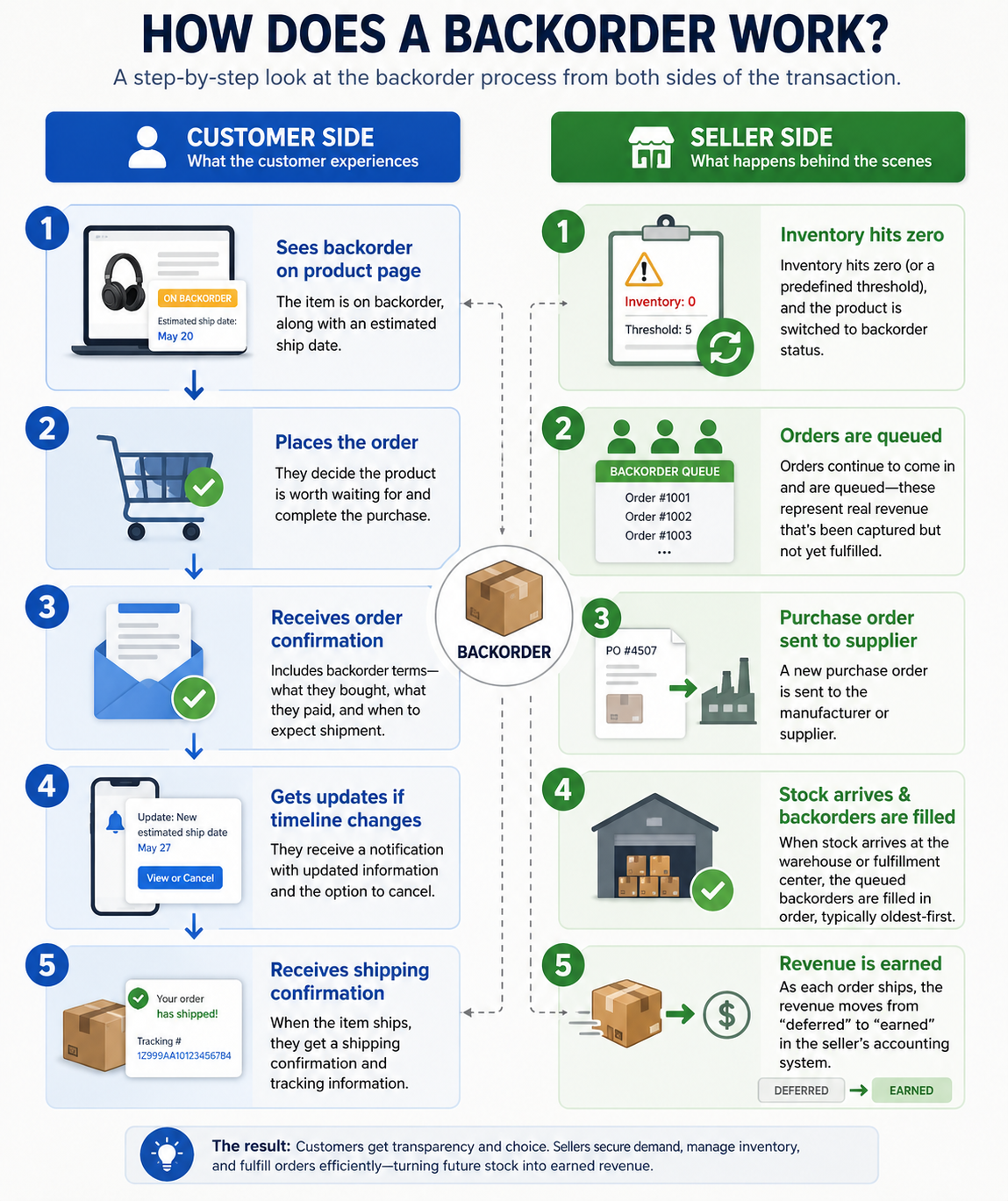
That last accounting point matters more than most sellers realize. Under US accounting standards (ASC 606), money collected for an unshipped backorder isn't recognized as revenue yet — it sits as a liability on the balance sheet until the item actually ships. A high backorder balance can signal strong future demand, but it also represents a real obligation the business has to fulfill.
What are some real examples of backorders?
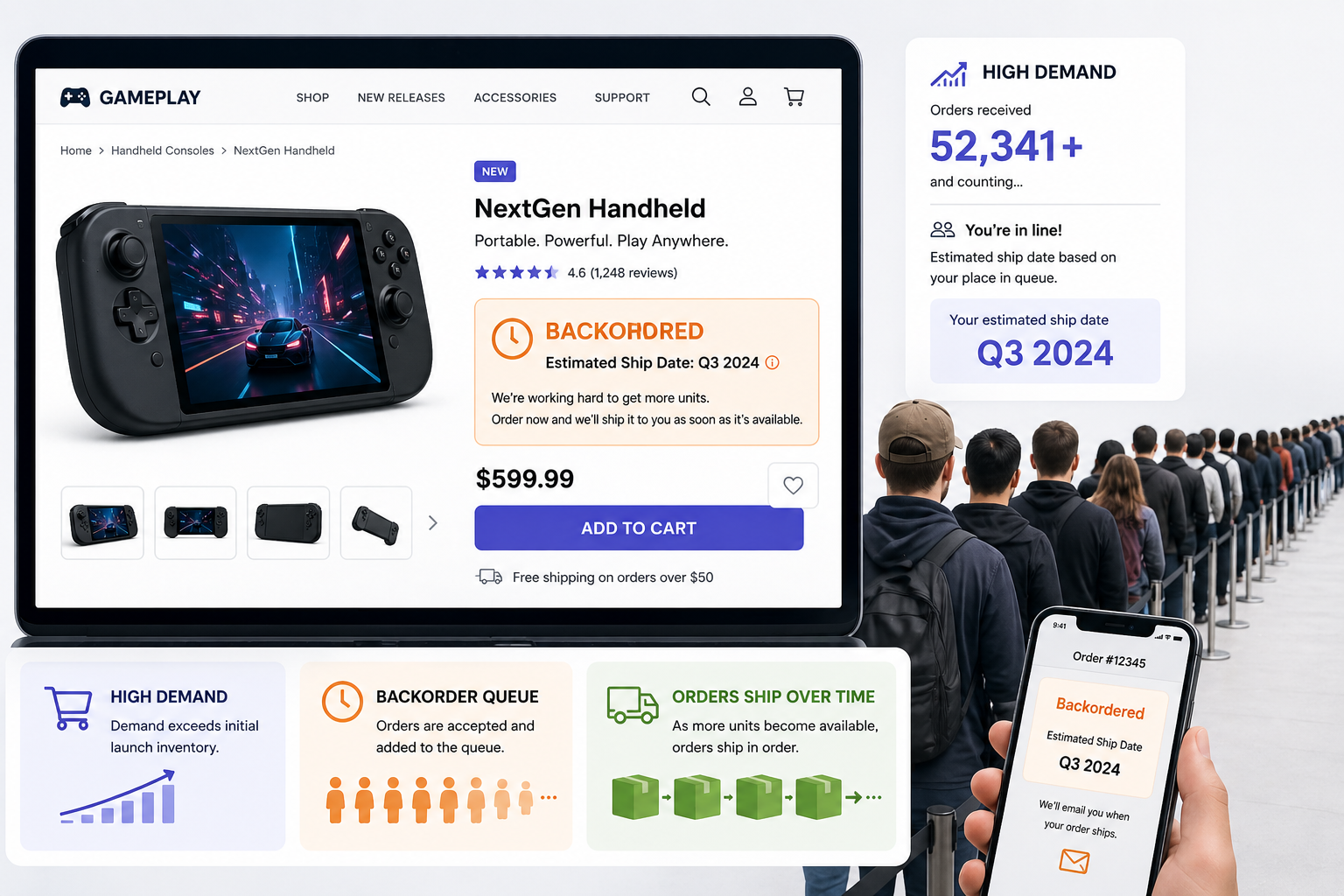
Consumer electronics launches. When a new product launches with limited supply — a gaming console, a new laptop model, a popular phone — demand can immediately outpace what's in stock. Sellers who accept orders past their initial inventory have a backorder situation on their hands. The Steam Deck launch in 2022 is a good example of a managed version: Valve used a $5 reservation and a queue system to accept orders well beyond their launch-day inventory, giving buyers an estimated shipping quarter rather than an exact date. Orders shipped for months afterward as production continued.
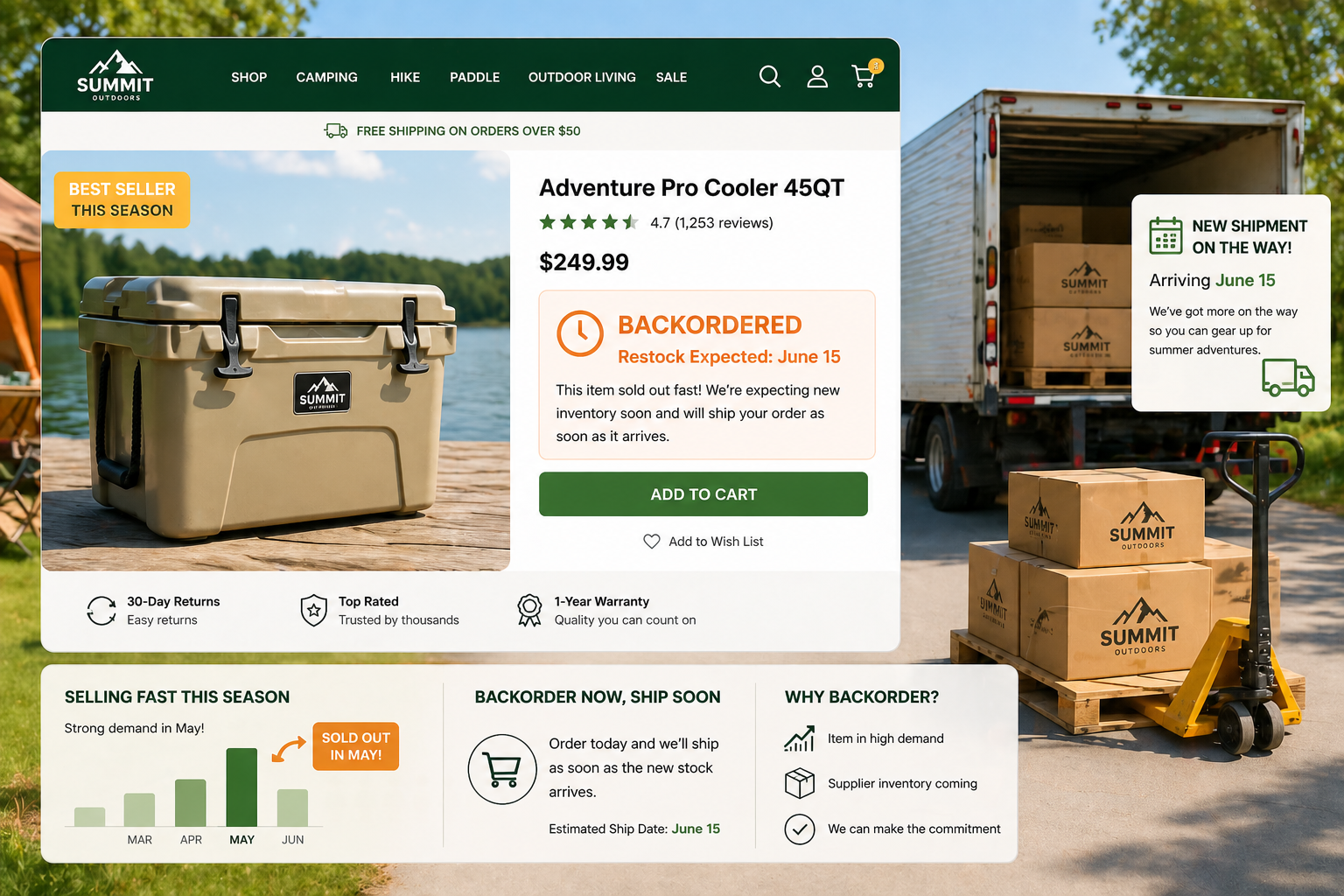
Seasonal goods that sell out early. A seller of outdoor equipment might stock up on a particular item for summer, sell through it faster than expected in May, and choose to keep the listing active on backorder through June while waiting on a restock shipment. The item exists, there's supplier inventory coming, and the seller can make the commitment.
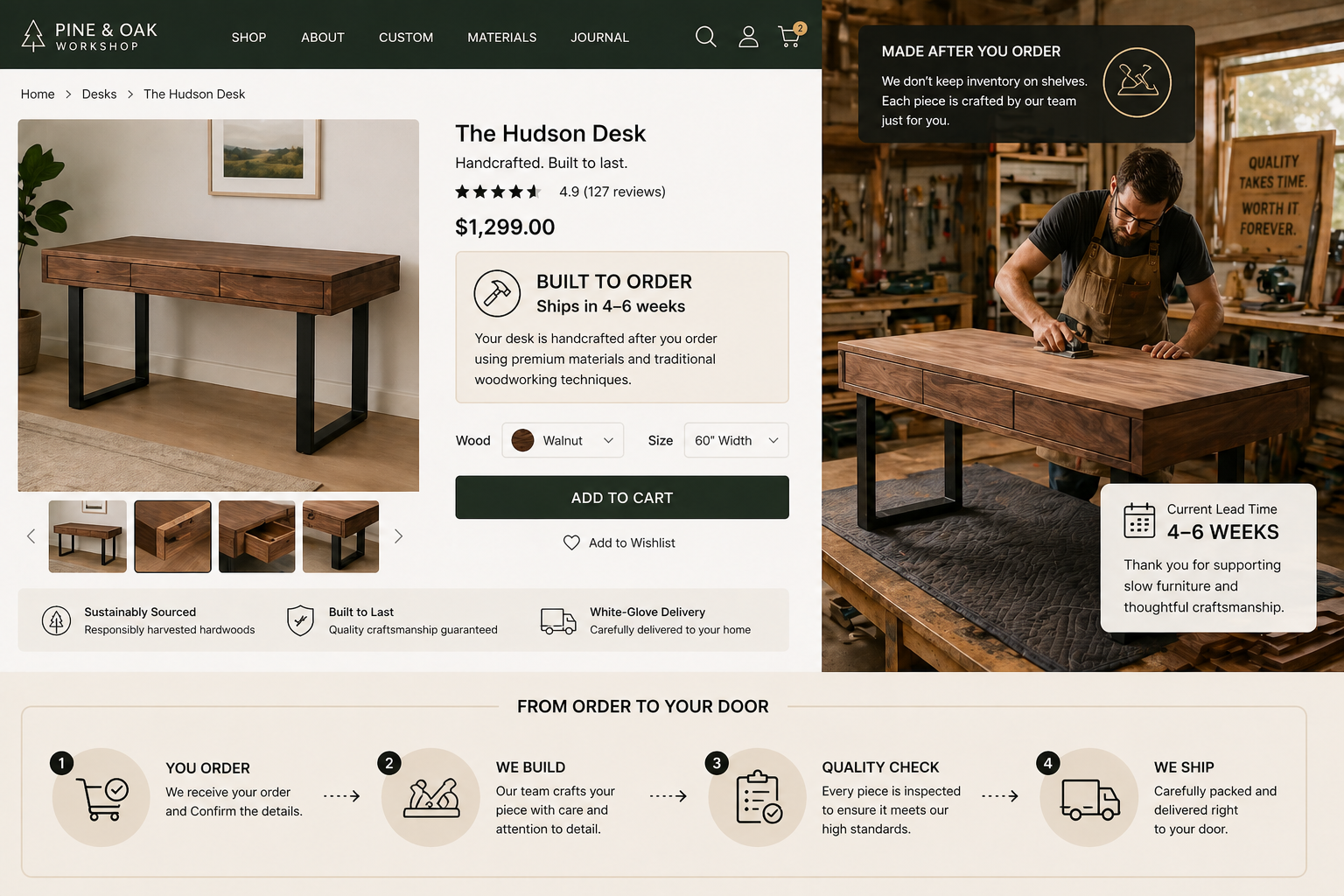
Niche or specialty products with long manufacturing lead times. A small brand that makes custom furniture, specialty tools, or made-to-order apparel routinely operates on a backorder model because their production cycle is built around demand rather than speculative inventory. A customer orders, the maker produces, it ships weeks later.
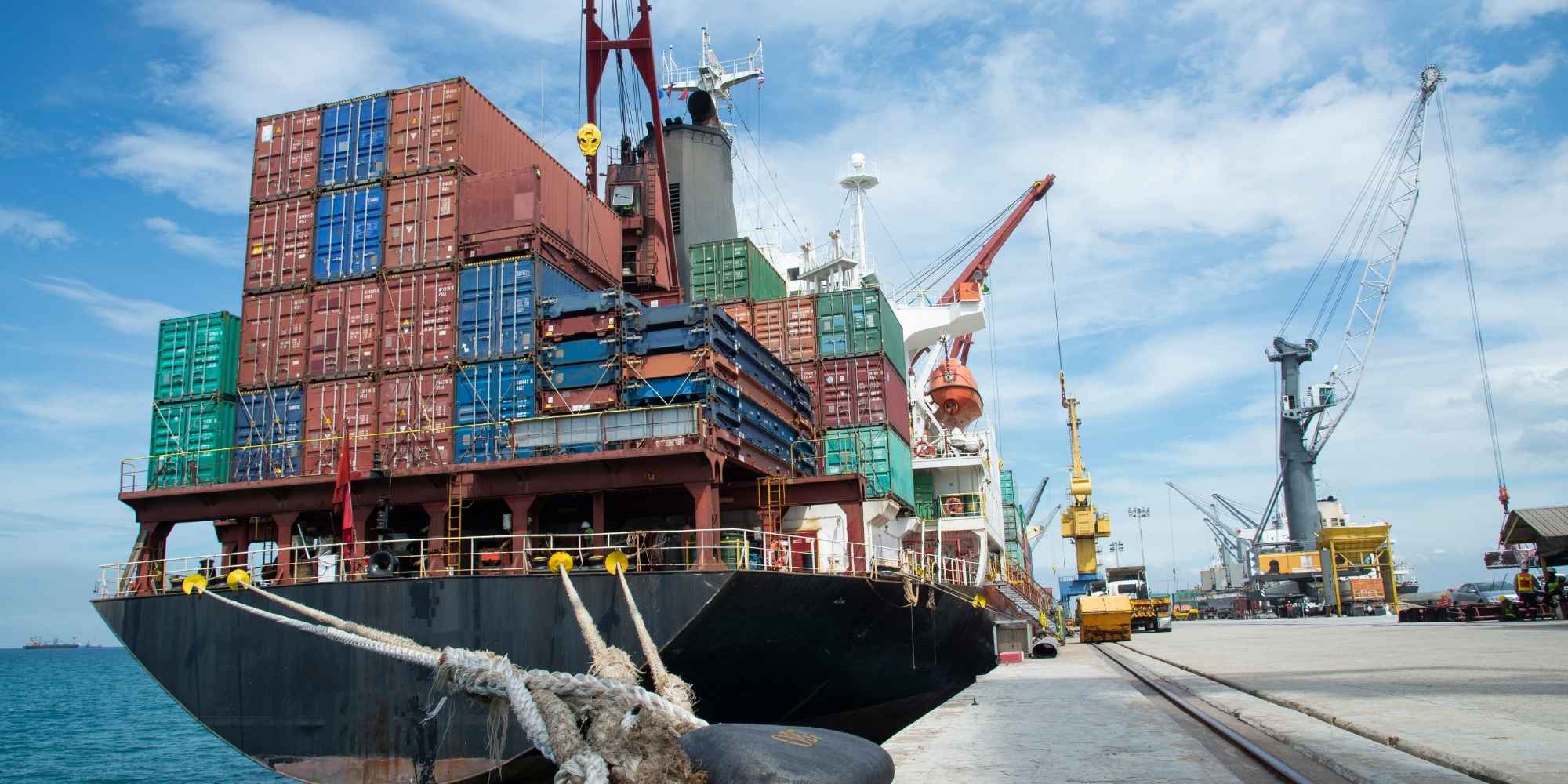
Supply chain disruptions. During 2020–2022, many sellers who'd been operating normally found themselves in unplanned backorder situations when supplier shipments were delayed by months. This is the messier version — backorders arising from disruption rather than intentional planning — and it's where most of the customer frustration and FTC compliance issues tend to originate.
What types of backorders are there?
Not all backorders are the same, and understanding which kind you're dealing with affects how you communicate and manage the situation.
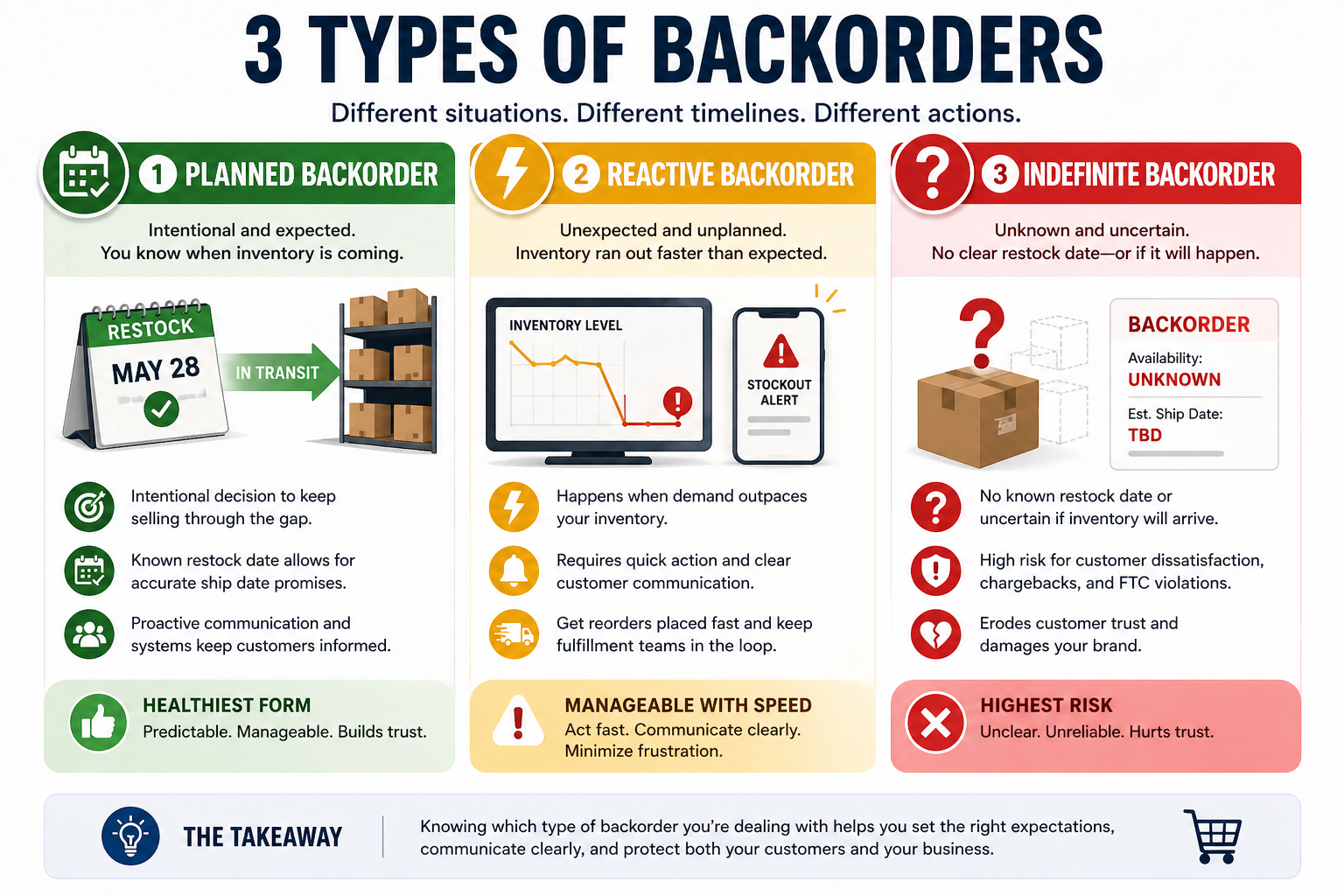
Planned backorders are intentional.
The seller knows inventory will run out before the restock arrives, and they make a deliberate decision to keep selling through that window. This is the healthiest form — the seller knows when stock is coming, can give accurate ship dates, and has the systems in place to manage communication. Direct-to-consumer brands, specialty retailers, and high-demand product launches often use planned backorders strategically.
Reactive backorders happen when inventory runs out faster than expected.
The seller didn't plan for the gap, and now they're managing orders that came in during a stockout window they didn't anticipate. These require quick action — updating the product page, notifying affected customers, getting a reorder placed fast, and making sure everyone in the fulfillment chain knows what's happening.
Indefinite backorders are the most problematic.
These occur when a seller accepts orders without knowing when or whether inventory will be available. This is where FTC compliance issues arise, and it's often where customer trust breaks down. Unless a business is genuinely operating on a made-to-order model where long lead times are understood and communicated upfront, indefinite backorders are generally a sign that something in the inventory management process needs attention.
Is Your Business Ready for Professional Order Fulfillment Services?
Take our 3-minute assessment to discover if partnering with a fulfillment service could help scale your business.
Storage Solutions
Optimize your inventory management
Scale Operations
Support your business growth
Save Time
Focus on core business activities
Improve Accuracy
Enhance customer satisfaction
Takes 3 minutes • Get instant results • Free analysis
Business Metrics
Assessment Questions (1-4)
Assessment Questions (5-8)
Assessment Results
Why do backorders happen?
The most common causes, in order of how often we see them at eFulfillment Service:
Demand spikes that outpace inventory planning. A product gets unexpected attention — a social media mention, a press feature, a seasonal rush that came earlier than usual — and it sells through faster than anyone anticipated. The reorder point wasn't set low enough to provide a buffer, or the reorder was placed but hasn't arrived yet.
Supplier or manufacturing delays. The reorder was placed on time, but the supplier is behind schedule. Port congestion, raw material shortages, or manufacturing capacity issues can push a delivery that should take three weeks to six weeks or more. In the meantime, if the seller is still selling, orders are piling up against inventory that hasn't arrived yet.
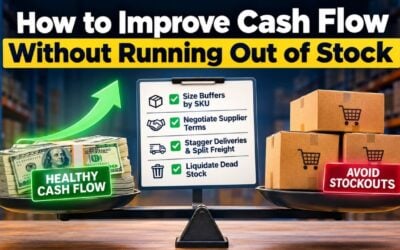
Intentionally lean inventory. Some sellers, especially those managing cash flow carefully, deliberately carry minimal stock to avoid the cost of holding inventory. This keeps carrying costs low but creates more frequent backorder situations when demand runs ahead of supply.
Poor forecasting. The seller underestimated how much they'd sell in a given period, based their reorder on the wrong assumptions, or simply didn't have reliable data on seasonal patterns and demand trends.
New product launches with uncertain demand. It's genuinely hard to know how much of a new product you'll sell before you start selling it. Sellers often start conservatively, sell through faster than expected, and find themselves backordered while waiting for the second production run.
Fulfillment with a Personal Touch.
See How Using a 3PL like eFulfillment Service sellers saves time. Get a Free Quote from eFulfillment Service Today!
Is a backorder good or bad for your business?
The statistics are pretty clear that backorders are a mixed picture, and whether they're good or bad depends almost entirely on how they're handled and what kind of product is involved.

Research shows that about 39% of consumers will switch to a different brand entirely when they encounter an out-of-stock or backordered product. Another 32% will try to find the same brand at a different retailer. Only about 13% will voluntarily wait through a backorder for the item they originally wanted.
That 13% is your backorder audience, and it varies significantly by category. The data on conversion rates across industries shows that consumer electronics (average 1.58% conversion rate) and home and furniture (1.41%) have the highest tolerance for backorder wait times — buyers in those categories tend to have done their research and want a specific product. Food and beverage (6.11% conversion rate) and pet care (3.28%) have almost no backorder tolerance because substitutes are plentiful and the need is often immediate.
Backorders work well when:
- The product is unique, niche, or difficult to find elsewhere.
- The customer has specifically sought out your brand or that item.
- The estimated wait time is reasonable and clearly communicated.
- You have the operational capacity to actually fulfill on the timeline you've promised.
Backorders tend to go poorly when:
- Comparable products are readily available from competitors.
- The wait time is long or uncertain.
- Communication after the purchase is poor or nonexistent.
- The seller oversells and can't fulfill the commitments they've made.
In our experience working with sellers across dozens of product categories, the difference between a backorder that retains a customer and one that loses them permanently usually comes down to a single thing: communication. Customers who hear nothing after placing a backorder order are far more likely to file a chargeback or leave a negative review than customers who receive a clear update every couple of weeks, even if the wait time is the same.
What does the FTC require when you offer backorders?
This is one of the most important things any US ecommerce seller needs to understand about backorders. The FTC's Mail, Internet, or Telephone Order Merchandise Rule — commonly called the "30-Day Rule" — has governed this since 1975, and it applies to every online order regardless of platform.

The rule requires that when you accept an order, you have a reasonable basis to believe you can ship within the time you've stated. If you haven't stated a time, the default assumption is 30 days.
When you can't meet that window, the rule creates a specific sequence of obligations:
You must notify the customer before the original ship date passes. That notification needs to give them a revised ship date (or say you don't know when the item will be available), and it must clearly explain that they can cancel for a full refund.
After that notification, what happens next depends on the length of the delay:
| Delay Scenario | What the Customer Must Do | What Happens If They Don't Respond |
|---|---|---|
| First delay, 30 days or less | Nothing — silence means they're OK with waiting | Order stays active |
| First delay, more than 30 days | Must actively agree to continue waiting | Order is automatically cancelled, full refund required |
| Indefinite delay | Must actively agree to continue waiting | Order is automatically cancelled, full refund required |
| Any second or later delay | Must actively agree to continue waiting | Order is automatically cancelled, full refund required |
The FTC has confirmed there are no supply chain exceptions to these rules. During the disruptions of 2020–2022, sellers who assumed a "COVID exception" existed found out there wasn't one. The obligation to communicate, document, and give customers the option to cancel doesn't pause for external circumstances.
Practically, this means you need automated email flows that send delay notifications before deadlines pass, and you need to keep records showing what was sent, when, and how the customer responded. The documentation requirement is real — if a dispute arises, you need to be able to show your compliance record.
How do Shopify and BigCommerce handle backorders?
Your ecommerce platform's settings are where backorder intent becomes operational reality, and the two major platforms handle it differently.

Shopify doesn't have a dedicated backorder mode. Instead, it has a per-product variant toggle called "Continue selling when out of stock." When this is enabled, the inventory count will go negative as orders come in — each negative unit represents an order that's waiting on a restock. When new stock arrives, those queued orders clear from the oldest forward.
The gap is in what the customer sees. Shopify's default behavior shows the same "Add to Cart" button regardless of whether the item is in stock or in negative inventory.
For FTC compliance and customer transparency, you need to either edit your theme code so it detects negative inventory and swaps in a "Backorder" or "Pre-order" label, or use a third-party app to handle this. Displaying an estimated ship date on the product page at that point is worth doing — it sets the expectation clearly before the customer buys, which reduces disputes and chargeback risk later.

BigCommerce has been developing a more structured native solution through their Backorders Beta. It introduces a concept called "Available to Sell" (ATS), which is a calculated inventory value that accounts for physical stock on hand, incoming inventory, and orders already committed. The formula is:
ATS = On-Hand Inventory + Incoming Inventory − Already-Committed Orders
This allows sellers to set a specific "backorder limit" — a hard cap on how many units can be sold beyond what's physically available — which is important when your supplier has confirmed a specific replenishment quantity. BigCommerce also separates "Ready to Ship" and "Backordered" line items in the order management view, which makes fulfillment planning more straightforward.
How to manage inventory to avoid unplanned backorders
The best backorder situation is a planned one. The worst is discovering you're in one because you ran out without realizing it was coming. Two formulas are worth knowing here.

Reorder Point — this is the inventory level that should automatically trigger a new purchase order to your supplier:
Reorder Point = (Average daily sales × Supplier lead time in days) + Safety Stock
Safety Stock — the buffer inventory you hold to absorb demand spikes and supplier delays:
Safety Stock = (Maximum daily sales − Average daily sales) × Maximum lead time
Quick Tip
At eFulfillment Service, we manage over 76,000 unique SKUs across our fulfillment operations, and the sellers with the most predictable fill rates — the ones who rarely end up in reactive backorder situations — are the ones who build these calculations around actual historical data rather than optimistic estimates. If your supplier says three weeks but consistently delivers in four and a half, build your safety stock calculation around four and a half weeks.
The Backorder Rate is also a useful metric to track over time:
Backorder Rate = (Units on backorder ÷ Total units ordered) × 100
A rising backorder rate usually signals forecasting or supplier issues. A rate near zero might actually indicate overstocking, which ties up cash. The right balance depends on your product category and margin structure.
What happens to inventory and fulfillment when a backorder clears?
When the restock shipment arrives at a warehouse or fulfillment center, the speed at which backorders get cleared matters — customers who have been waiting two to four weeks are checking their email every few days at that point.
In a standard warehouse process, an incoming shipment has to be unloaded, counted, inspected, and put away in storage locations before anyone can start picking orders from it. That process can take 48 to 72 hours, which extends the wait for customers who were already at the end of their patience.
A more efficient approach — one used by 3PLs who handle backorder volume regularly — is cross-docking for backorder clearance. When the shipment arrives, the warehouse management system already knows which units have open backorders against them. Those items move directly from the receiving dock to a packing station, bypassing the put-away step entirely. The oldest orders get filled first, and the backorder queue starts clearing within hours rather than days.

At eFulfillment Service, this kind of prioritized backorder clearance is standard practice when a restock arrives against a queue of open orders. With 20 box sizes on hand and sustainable packing materials (we divert over 3,500 square feet of packaging waste from landfill every month), we're set up to move quickly once the stock is in. For sellers with heavy products where shipping cost is a significant factor, our low cost shipping program can also reduce the per-shipment cost on those backorder fulfillments.
How to communicate with customers during a backorder
This is the part most sellers underinvest in, and it's also the part that determines whether a customer comes back after waiting or never orders from you again.
The baseline — the minimum for FTC compliance — is a notification before the original ship date passes, with an updated estimate and a cancellation option. But meeting the legal minimum is not the same as doing a good job of it.
What actually works, based on what we see from sellers managing backorders well:
Setting expectations before the purchase.
If a product page clearly says "ships in 4–6 weeks" before a customer adds it to their cart, there's no surprise at checkout. The customer who buys anyway has already accepted the timeline. This is far better than a surprise in the order confirmation email.
Regular, brief updates.
An email every 10 to 14 days that says "your order is still in progress, here's where things stand" costs almost nothing to automate and dramatically reduces the number of customers who file chargebacks or write frustrated support tickets. People don't mind waiting as much as they mind not knowing.
A small acknowledgment of the inconvenience.
A note that says "we know waiting isn't fun — we're including free shipping on your next order as a thank-you" costs a small amount per customer and generates real goodwill. The research on reciprocity in consumer behavior is clear: small gestures during a frustrating experience tend to be remembered.
A ship notification with tracking 48 hours before the order leaves.
Customers who've been waiting for weeks get a disproportionate amount of satisfaction from seeing a tracking number appear. It confirms the commitment was real.
Protecting yourself from chargebacks on backordered orders
One risk that doesn't get enough attention: customers who have been waiting for a backordered item are more likely than average to file a chargeback with their bank rather than requesting a refund directly. This happens because they forget the order, lose patience without a clear cancellation path, or don't know who to contact. A chargeback is often easier for them than navigating a return process they've never used before.

Visa and Mastercard both allow customers to dispute transactions for up to 540 days after the charge. That means you could be defending a chargeback more than a year after the original order was placed — and you'll need documentation to do it successfully.
Steps that reduce chargeback exposure on backordered orders:
- Add a checkbox at checkout: "I understand this item is on backorder and will ship by [date]." This documents that the buyer acknowledged the delay terms.
- Use manual payment capture: authorize the card at purchase, but don't actually charge it until a few days before the item ships. This reduces failed payments from expired cards and creates a cleaner paper trail.
- Keep every communication record — every email sent, every customer response, every change in estimated ship date — for at least two years.
- Send the "your order ships soon" notification 48 hours before packing, so the customer sees activity on the order right before the charge hits their statement.
Backorder FAQs
What is a backorder?
A backorder is an order placed for a product that isn't currently in stock but is expected to be available and shipped at a future date. The customer completes the purchase and receives a confirmed order, but fulfillment is delayed until inventory is replenished.
What does "on backorder" mean?
When a product is described as "on backorder," it means the item is currently unavailable in the seller's inventory but is still available for purchase with the understanding that it will ship when new stock arrives. The seller has made a commitment to fulfill the order once they have the product.
What's the difference between a backorder and out of stock?
Out of stock means a product is unavailable and the seller is not accepting orders for it. On backorder means a product is also unavailable, but the seller is still accepting orders with a future fulfillment commitment. With a backorder, the customer can still buy — they just wait for delivery.
What's the difference between a backorder and a pre-order?
A pre-order is typically placed before a product has ever been released or available for sale — such as a new book before its publication date. A backorder is for a product that previously existed in inventory, sold out, and will be restocked. Both involve buying before receiving the product, and both are subject to the same FTC shipping rules in the US.
How long can a backorder take?
There's no universal timeline — it depends entirely on when the seller's supplier can deliver new inventory. Backorders can range from a few days to several months. Under FTC rules, sellers must notify customers if an order can't ship within the originally promised window (or within 30 days if no date was given), and customers always have the right to cancel for a full refund.
What happens to my money if a backorder is cancelled?
If a backorder is cancelled — whether by the customer or by the seller — the customer is entitled to a full refund. Under the FTC's Mail Order Rule, if a seller can't meet a revised ship date and the customer hasn't agreed to a further delay, the seller must issue a refund automatically without the customer needing to request one.
Is a backorder the same as a special order?
Not exactly. A backorder typically refers to an item a seller normally carries that is temporarily out of stock. A special order is usually a non-standard item that the seller doesn't typically carry but can source specifically for a customer. Special orders may have different policies and timelines, and they aren't always subject to the same FTC rules as standard backorders.
How do I set up backorders in Shopify?
In Shopify, go to the product settings for a specific variant and enable "Continue selling when out of stock." To make this FTC-compliant and customer-friendly, you'll also want to update your theme code so backordered products display a clear "Backorder" label and an estimated ship date rather than the standard "Add to Cart" button.
Ready to take backorder fulfillment off your plate?
When a restock shipment arrives against a queue of open backorders, the speed and accuracy of your fulfillment partner makes a real difference. eFulfillment Service has been handling ecommerce fulfillment for over 25 years, and we work with sellers at every stage — from a few hundred orders a month to catalogs with 76,000+ unique SKUs. When your inventory comes in, we prioritize clearing backorder queues quickly, so the customers who've been waiting hear from you as soon as possible.
0 Comments